



































Virtual classrooms for school use skyrocketed during the Covid-19 pandemic as a means to maintain as much pedagogical structure for students and their families. Now, online schooling has transformed how students access education, build new skills, and connect with instructors from anywhere. Whether starting a first e-course or completing a degree through distance learning, having the right technology connections can make the entire process smoother and less stressful and close the digital divide.
From choosing the right devices to creating a productive study space, the right tools can improve organization, communication, and focus. This guide explores the vital technologies that support a successful cyber academy experience and help students feel prepared for the evolving world of web-based education.
Why Are Technology Connections So Important for Online Learning?
How New Tech Shapes Modern Education
The way people learn has changed dramatically over the last several years. While traditional classrooms continue to play an important role, electronic education has created new opportunities for students who need flexibility, convenience, and access to programs beyond their local area.
The history of cyber learning began with simple computer-based lessons and has grown into a wide range of virtual options. Today, students can attend classes, submit assignments, communicate with professors, and collaborate with classmates without being physically present in a classroom.
The growth of remote pedagogy has made education more accessible for many learners, including working professionals, parents, and students balancing multiple responsibilities. Device connections have become a crucial part of creating a smooth and effective experience.
Reliable tools allow students to:
- Attend live video lectures without interruptions
- Access assignments and materials quickly
- Communicate with instructors and classmates
- Participate in engaging activities
- Complete work at a comfortable pace
Statistics have found that the demand for flexible education continues to grow, making strong software skills and connections a key factor in the future of education. As institutions continue adapting to new trends, students need dependable devices that support their goals.
Common Electronic Challenges Students Face
Although online studies provide many benefits, device malfunction issues can create frustration when students are not prepared. A slow device, an unreliable connection, or confusing software can interrupt the process and make completing assignments more difficult.
Some common challenges include:
- Slow Wi-fi speeds during live web lectures
- Outdated computers that cannot support required programs
- Difficulty navigating a new web platform
- Poor internet connectivity during important deadlines
- Eye fatigue from extended screen time
For many students, these challenges can impact motivation and engagement. Preparing tablets and computers before classes begin can help reduce distractions and create a better overall experience.
The right setup does not need to be complicated—it simply needs to support the way each learner studies, communicates, and completes coursework.
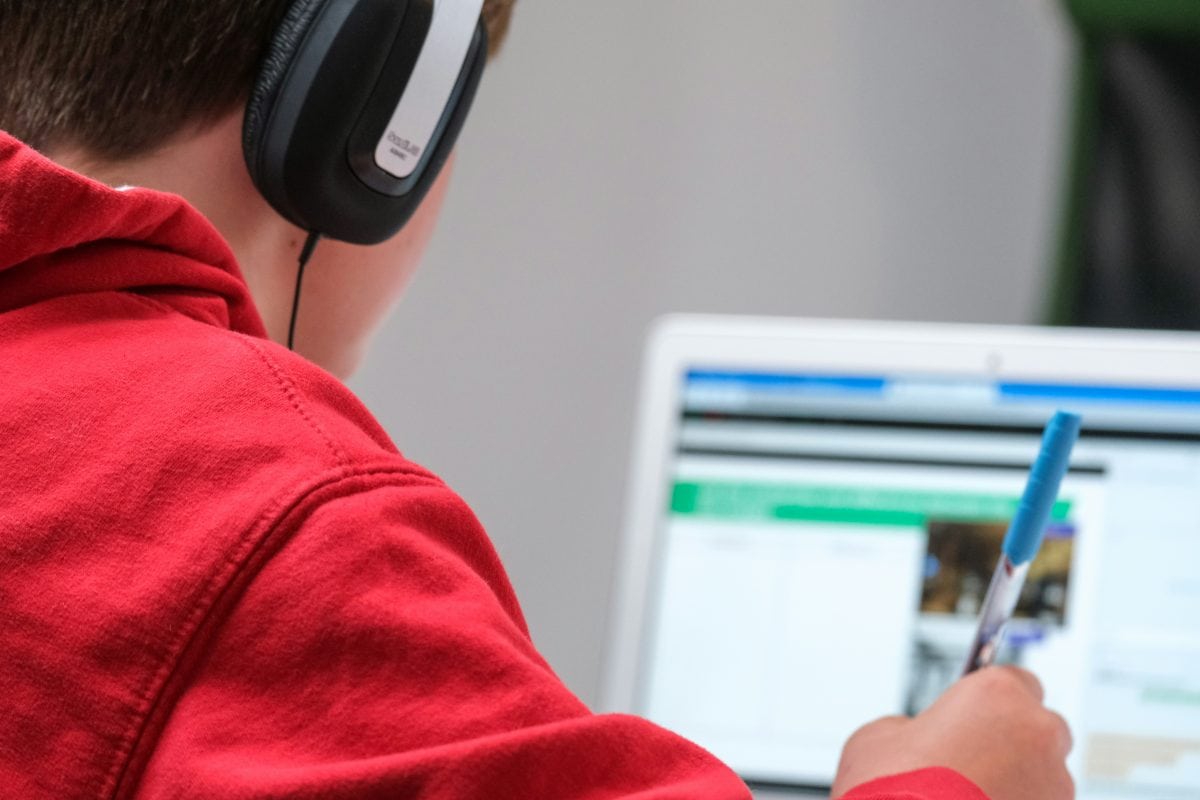
What Devices Do You Need for a Successful Online Education Experience?
Choosing the Right Computer for Your Course
A reliable computer is one of the most important investments for all students. The right device depends on the type of class, required programs, and how much multitasking a student plans to do.
A laptop is often the preferred choice because it offers flexibility and portability. Students can move between study spaces while still having access to their assignments and digital resources. A desktop computer can also work well, especially for students who prefer a permanent workspace with a larger screen.
When selecting a computer, consider:
- Processing speed for running multiple programs
- RAM for smoother multitasking
- Storage space for assignments and downloads
- Battery life for studying away from a power source
- Compatibility with course software

Different classes may have different requirements, sometimes more than just the basics. For example, creative programs, specialized classes, or advanced higher education courses may need stronger computer capabilities than basic programs.
A student enrolled through an online institution should always review device recommendations before purchasing new equipment. Choosing equipment that matches the requirements can prevent problems later.
Helpful Accessories That Improve Your Learning Experience
A computer is the foundation of virtual class, but additional accessories can make studying more comfortable and efficient. Small upgrades can improve communication, reduce distractions, and create a more professional environment.
Useful accessories include:
- A webcam for video meetings and presentations
- A headset for clearer audio during lectures
- An external monitor for easier multitasking
- A keyboard and mouse for improved comfort
The best setup combines mandatory devices with helpful tools that make daily tasks easier.
Natural product options that can support an online studying workspace include:
- Laptops designed for students
- Noise-canceling headphones
- External webcams
- Wireless keyboards
These additions can help create a more focused and organized study area while improving communication during classes.
How Does Reliable Internet Improve Distance Learning?
Why Reliable Internet Is Essential
A strong broadband connection is one of the most important parts of successful remote learning. Without a reliable connection, even the best computer and software may not perform properly.
Students rely on internet access for nearly every part of their e- class, including:
- Watching video lectures
- Uploading assignments
- Taking computerized exams
- Accessing cloud storage
- Communicating through apps
A connection that frequently drops can interrupt important lessons and create unnecessary stress. This is especially challenging when attending live classes or completing timed assessments. A reliable connection creates the foundation for consistent web-based learning by keeping students connected to their professors, classmates, and course resources.
Tips for Creating Stronger Electronic Connections at Home
Improving a home setup does not always require expensive upgrades. Simple changes can strengthen connectivity and create a more dependable workspace.
Helpful tips include:
- Placing the router in a central location
- Reducing obstacles between devices and the router
- Using Ethernet connections when possible
- Testing internet speed regularly
- Updating router software
Students who share a home connection may also benefit from organizing study schedules around peak usage times.
Helpful additions may include:
- Wi-Fi extenders
- Mesh Wi-Fi systems
- Ethernet cables
- Surge protectors
These tools can improve stability and protect important equipment from unexpected power issues.
How Can You Organize Your Course Materials for Less Stress?
Organization Tips
Keeping files organized is one of the easiest ways to improve independence. Since many classes rely on technological resources, students often manage assignments, presentations, videos, and readings throughout the semester.
A simple organization system can make finding important information much faster.
Helpful organization strategies include:
- Creating folders for each class
- Using clear file names
- Backing up important documents
- Saving copies of completed assignments
Cloud storage is especially useful because it allows students to access files from multiple devices. This can be helpful for learners who study in different locations.
Many programs also include tools that help organize lessons, deadlines, and assignments. Understanding how to use these systems early can improve productivity throughout the course.
Physical Organization Still Matters
Even in a digital environment, physical organization still plays an important role. A comfortable workspace with easy access to supplies can help students stay focused.
Simple organization tools include:
- Notebooks for handwritten notes
- Planners for tracking deadlines
- Charging stations for devices
- Workspace storage for supplies
Natural product additions may include:
- Laptop stands
- Desk organizers
- External SSDs
- Planner notebooks
A well-organized workspace reduces distractions and helps create a more enjoyable routine.

How Can Your Learning Environment Improve the Online Learning Experience?
Set Up a Distraction-Free Study Space
A dedicated study area can have a major impact on focus, productivity, and overall success. While online learning provides flexibility, having a consistent environment helps create a routine that feels similar to attending a traditional classroom.
A comfortable workspace does not need to be large or expensive. Even a small area can become an effective study zone when it is organized around the needs of the student.
Important elements of a productive environment include:
- Proper lighting: Good lighting can reduce eye strain and make reading screen materials easier.
- Ergonomics: A comfortable chair, a supportive desk setup, and correct screen height can improve comfort during longer study sessions.
- Background noise control: Limiting distractions can make it easier to focus during lectures and assignments.
- Comfort: A space that feels inviting can encourage students to spend more time engaged with their work.
Many students underestimate how much their surroundings affect concentration. A cluttered workspace or uncomfortable seating can make it harder to stay motivated, especially during longer lessons.
A thoughtfully designed space supports better focus, stronger engagement, and a more positive and personalized learning experience.

Create a Routine That Supports Learning
One of the biggest advantages of virtual classes is flexibility, but that freedom also requires strong time management. Without a set schedule, it can become easy to delay assignments or lose track of important deadlines.
Creating a consistent routine helps students build habits that support success. This may include:
- Setting dedicated study times each week
- Planning breaks between lessons
- Creating daily productivity habits
- Reviewing upcoming assignments regularly
Every learner has different learning styles and preferences. Some students may work best early in the morning, while others may prefer evening study sessions. Finding a routine that fits individual needs can make the process more manageable.
A strong routine also helps separate student responsibilities from personal time. This balance is especially important for students completing courses while managing work, family, or other commitments.
How Do Technology Connections Help Students Stay Connected During Remote Learning?
Communicating With Instructors and Classmates
One of the biggest differences between web-based s and a face-to-face classroom is the way communication happens. Instead of raising a hand or walking across campus, students often rely on tools to connect with professors and classmates.
Strong communication helps students feel supported and involved throughout their programming. Common communication methods include:
- Email for questions and updates
- Video conferencing for live discussions
- Discussion boards for class conversations
- Group projects using shared spaces
A professor plays an important role in guiding students through lessons, answering questions, and providing feedback. Maintaining regular communication can make classes feel more connected and interactive. Although web-based education happens through a screen, meaningful relationships can still develop through consistent communication and participation.
Digital Tools That Encourage Collaboration
Collaboration is an important part of many electronic courses. Tools allow students to work together, exchange ideas, and complete assignments regardless of location.
Many cyber programs use a learning management system, often called an LMS, to organize lessons, assignments, grades, and communication. These systems act as a central program where students can access important information.
Common collaboration tools include:
- Shared documents for group assignments
- Computer or platform calendars for tracking deadlines
- Messaging apps for quick communication
- Task management tools for organizing responsibilities
Some web designs also include multimedia elements, simulations, discussions, and engaging activities that encourage participation. These features can make programs feel more engaging and personalized.
Electronic connections help bridge the gap between distance and collaboration by making communication easier, faster, and more accessible.
What Should You Look for Before Enrolling in an Online Course?
Check Your Institution’s Requirements
Before starting an online class, it is important to understand the Electronic expectations set by the federal standards or program. Every institution may have different requirements depending on the subject, software, and teaching methods used.
Reviewing requirements early can help students avoid unexpected challenges once classes begin.
Important details to check include:
- Recommended devices
- Required software programs
- Browser compatibility
- Security requirements
- Internet speed recommendations
Some programs may require specific applications, while others may depend heavily on video conferencing or specialized tools. Understanding these expectations helps students choose the right equipment and prepare their workspace.
Pro Tip: Requirements are especially important for higher education programs, where advanced curricula may involve more complex web-based resources.
Prepare Before Classes Begin
Preparation before the first day of class can make the transition into curricula much easier. Taking time to organize, download necessary programs, and test equipment can prevent unnecessary stress.
Before a course starts, consider:
- Downloading required apps
- Testing the webcam and microphone
- Saving important login information
- Updating devices and software
Students should also become familiar with the curriculum software before assignments are due. Knowing where to find lessons, submit work, and communicate with an instructor can improve confidence. A few minutes of preparation before a course begins can create a smoother and more successful experience from day one.

What Trends Are Shaping the Future of Online Education?
Emerging Trends in Education
Electronic use continues to change how students access information and develop new skills. The future of education is expected to include even more personalized, engaging, and flexible opportunities.
New tools are helping create more engaging web-based classrooms through:
- Artificial intelligence that supports personalized experiences
- Classrooms that connect students worldwide
- engaging activities
- Adaptive tools that adjust to student needs
Learning Algorithms can analyze student progress and help create more customized experiences. These tools may identify areas where students need additional support and provide resources based on individual performance.
The continued growth of e-learning shows how equipment can expand educational opportunities beyond traditional boundaries.
Preparing for the Future of Online Learning
As electronic abilities continue evolving, web-based skills will become increasingly important. Students who understand how to navigate tools, communicate online, and adapt to new forums will be better prepared for future opportunities.
The future of virtual schooling is connected to:
- Lifelong learning
- literacy
- Flexible education options
- Career development
A hybrid approach that combines online resources with occasional face-to-face learning may continue to become more common. These flexible options allow students to choose methods that fit their goals and responsibilities.
The future of education will continue to depend on strong advancement connections that make quality education available to more learners.
Simple Tips That Make Every Class Easier
Daily Habits for Better Online Learning
Small daily habits can make a major difference in online success. Equipment works best when devices, files, and systems are maintained regularly.
Helpful habits include:
- Keeping devices updated
- Charging equipment overnight
- Backing up important files
- Testing the Wi-Fi before class
Regular maintenance can prevent avoidable issues during important assignments or exams. Taking a few minutes each week to organize files and check equipment can save significant time later. Students should also create backup plans when possible. Having saved copies of assignments and knowing how to troubleshoot basic problems can make online learning feel less overwhelming.
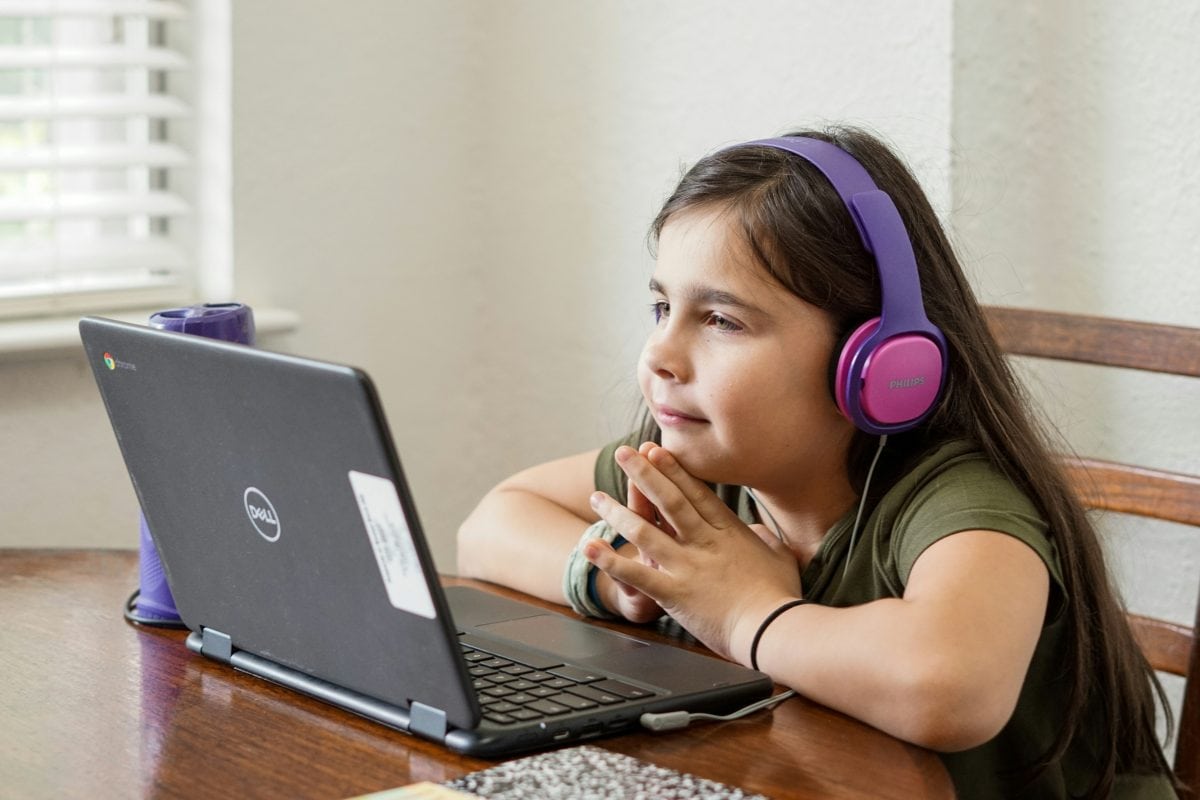
Common Mistakes to Avoid
Even with strong computer connections, simple mistakes can create challenges. Many issues can be prevented by developing good habits early.
Common mistakes include:
- Ignoring software updates
- Using weak passwords
- Poor file organization
- Waiting until class starts to troubleshoot problems
Protecting student information is also important. Strong passwords, updated security settings, and organized files help create a safer online learning environment.
Useful workspace additions may include:
- Cable organizers
- Charging stations
- Power strips
- External hard drives
The goal is not to have the most expensive setup—it is to create a reliable system that supports consistent learning.
Our Top Desk Essential Picks for Back to School
Uplift Desk
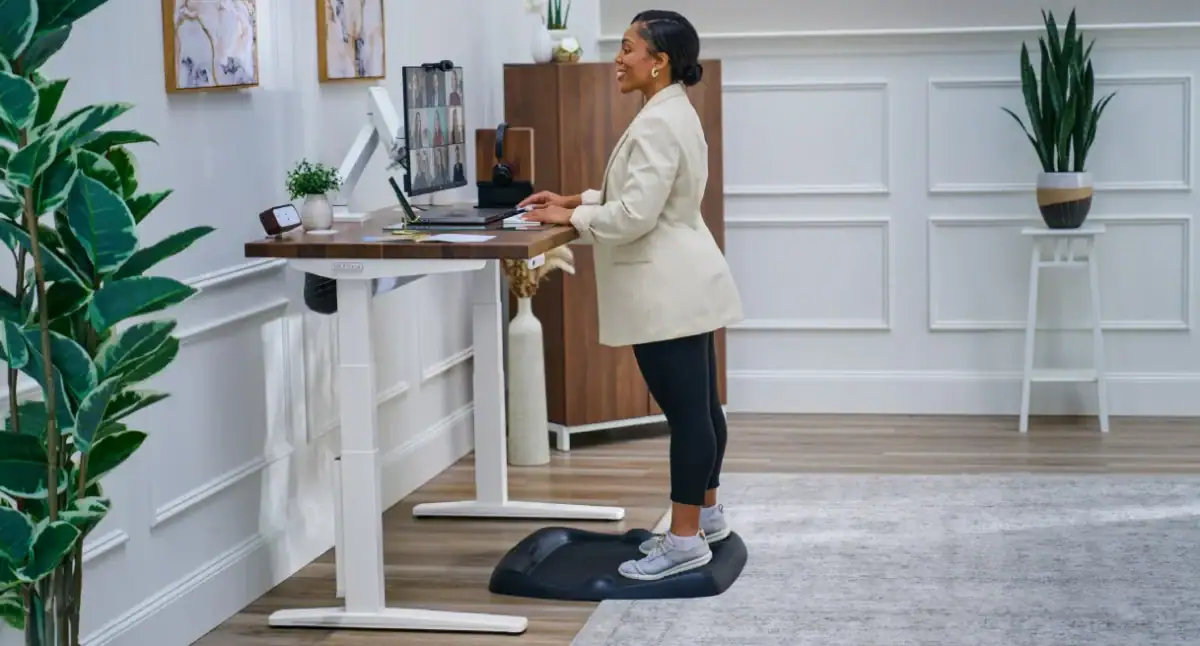
If you’ve been meaning to upgrade your home office setup, summer is actually the perfect excuse — and the UPLIFT Desk V3 Standing Desk is the kind of gift that makes someone feel like a real adult who has their life together. Rated the top pick by Wirecutter every year since 2018, this desk is less “nice furniture” and more “life improvement wrapped in a walnut butcher block.”
- The desk adjusts from 22.6″ to 48.7″ tall, meaning it fits just about everyone — whether you’re 5’2″ and sitting, or 6’4″ and pacing through a conference call like you own the place.
- You get to customize practically everything: desktop material (from basic laminate all the way to a live edge saman wood that belongs in a design magazine), size, frame color, keypad style, and more, so it actually feels like a gift someone put thought into.
- It ships the same day if you order by 3pm Central, comes with free accessories like a standing mat or desk organizer, and includes a 15-year warranty — which is longer than most people stay at any one job.
- There’s even a companion app that sends movement reminders and lets you save your preferred heights, because apparently we all need our desks to parent us a little.
Whether it’s for a remote worker who’s been hunched over a kitchen table since 2020 or someone who simply deserves a proper setup, the UPLIFT Desk V3 is the gift that keeps on giving — long after the summer tan fades.
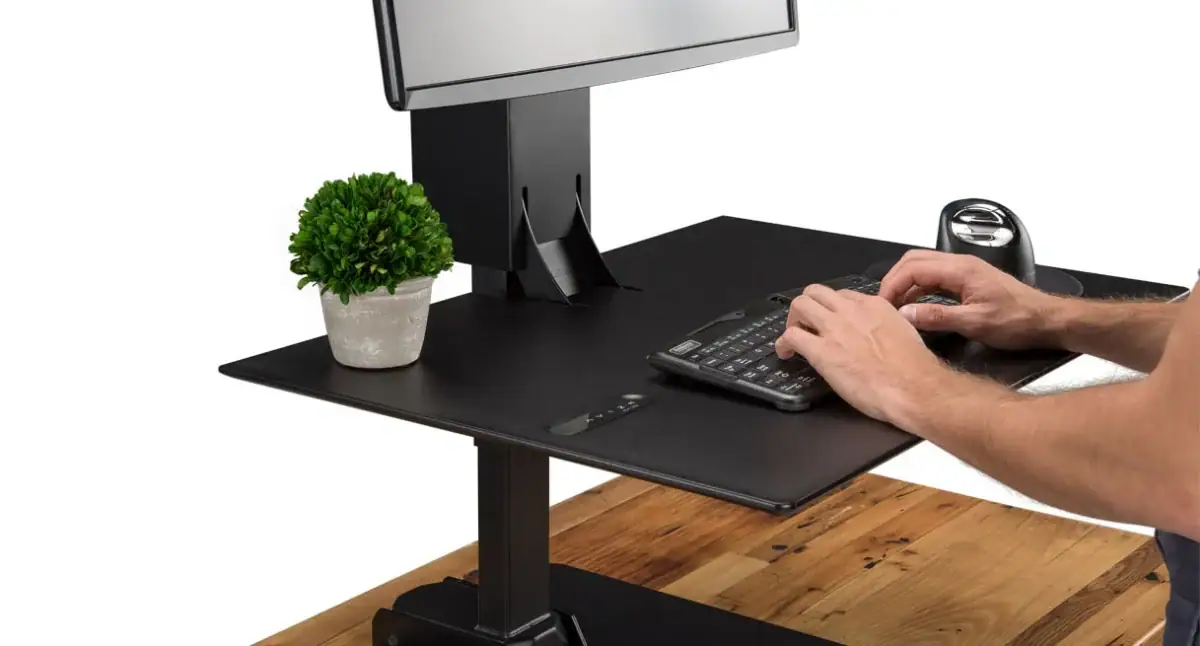
Not everyone is ready to ditch their current desk — but that doesn’t mean they’re stuck sitting in one position all day like a houseplant with a laptop. The E7 Electric Standing Desk Converter by UPLIFT Desk sits right on top of any fixed-height desk and transforms it into a full sit-stand workstation, no renovation required.
- Wirecutter called it the best electric standing desk converter on the market and “the closest you can get to the experience of a full standing desk” — which is high praise for something that doesn’t require a drill or an afternoon of assembly regret.
- The tiered keyboard tray actually drops below desktop height to bring the keyboard to just above lap level when seated, a detail most converters completely miss and the reason so many people end up hunching anyway.
- A whisper-quiet electric motor adjusts the height 21 inches with one button press, with saved memory positions so you can toggle between sitting and standing without doing mental math every time.
- It supports up to 110 lbs and can be configured with a single, dual, or triple monitor mount, making it a legitimate workstation upgrade rather than a wobbly compromise.
At $619, the E7 is the gift for someone who keeps saying they want to stand more but hasn’t pulled the trigger on a full desk replacement — consider it the low-commitment path to a high-functioning workspace.
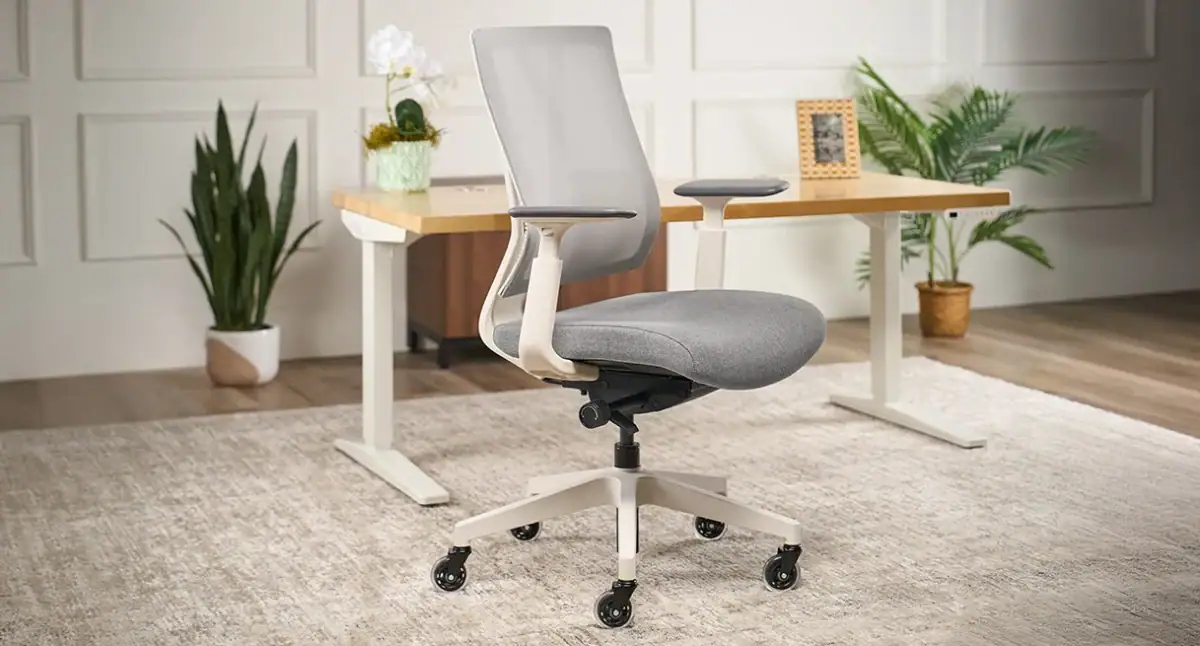
Summer is the season of good decisions, and gifting someone a chair they’ll actually want to sit in for eight hours a day qualifies. The Clarksville Ergonomic Chair by UPLIFT Desk is the kind of thoughtful upgrade that says “I care about your spine” without making it weird.
- The lumbar support is built right into the backrest framework — no awkward pillow attachments, no clunky knobs — just quiet, discreet support that encourages your spine to stop doing its impression of a question mark.
- A breathable mesh back keeps airflow going all day, which feels especially relevant in summer, when the last thing anyone needs is to stand up from their chair and leave a silhouette behind.
- Three adjustable recline tension levels and a synchro-tilt mechanism mean the chair moves with you rather than against you, keeping your feet flat and your hips happy through even the longest video call marathons.
- With adjustable seat height, seat depth, armrest height, depth, and pivot, plus four lumbar positions and 40 degrees of recline, there are more ways to customize this chair than most people have opinions about office furniture.
At $359, it’s the kind of gift that replaces whatever sad, backache-inducing dining chair someone has been working from — and comes backed by a 15-year warranty, because good seating should outlast any lease.
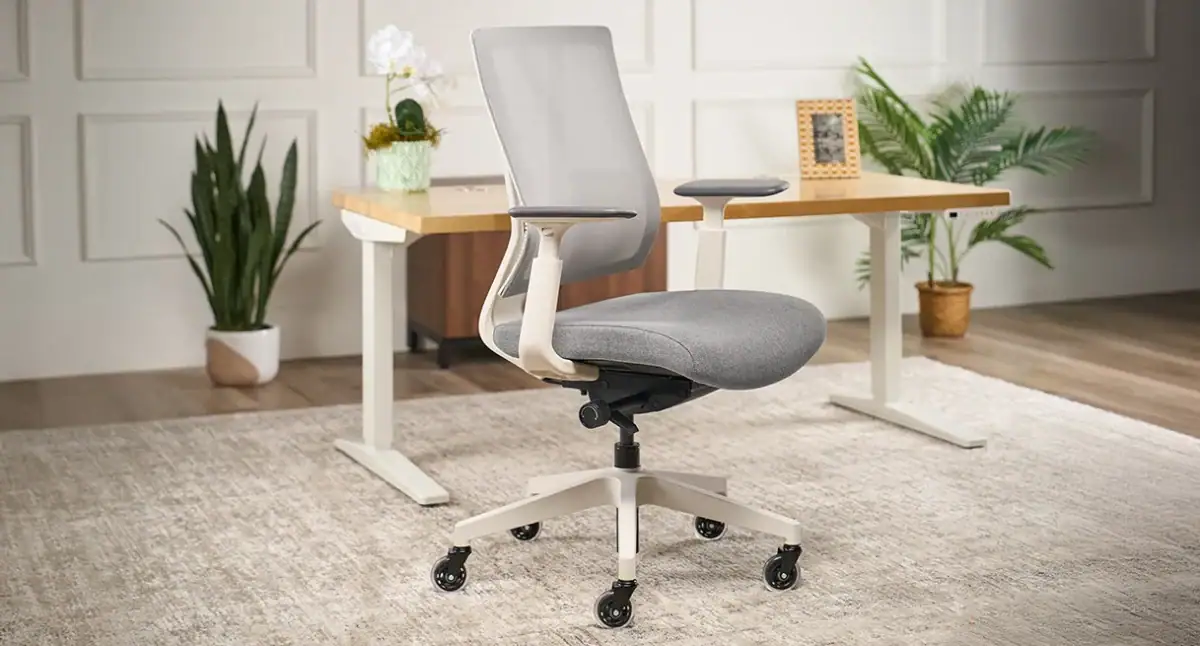
If your gift recipient spends more time in their desk chair than on their couch, consider this their upgrade. The Clarksville Ergonomic Chair from UPLIFT Desk blends all-day comfort with sleek, modern style, making those endless workdays a little easier on the back and a lot easier on the eyes.
• Designed with innovative lumbar support and multiple adjustment points, it helps create a personalized fit that encourages better posture and long-lasting comfort.
• A breathable mesh back and thick molded foam seat cushion work together to keep things cool, supportive, and comfortable through meetings, emails, and whatever spreadsheet chaos the day brings.
• The clean, contemporary design looks right at home in both professional offices and work-from-home setups, proving ergonomic furniture doesn’t have to look like it belongs in a doctor’s waiting room.
Whether they’re building their dream home office or simply tired of ending the day feeling like a pretzel, this chair is a gift they’ll appreciate every single workday. Bonus points: unlike most gifts, this one actually supports them—literally.

If you’re shopping for someone who treats their standing desk like a lifestyle rather than just furniture, the Engage Stool is basically the “you’ve upgraded your entire work personality” gift. It’s that sweet spot between sitting and standing that makes long workdays feel a lot less like… well, sitting still for 8 hours straight.
• 360° motion base lets them rock, lean, and perch while working, which sounds fun but is really just sneaky productivity disguised as movement
• Adjustable height makes it easy to dial in the perfect setup whether they’re at a standing desk, kitchen counter, or anywhere they’ve decided to “just quickly answer emails”
• Cushioned seat and ergonomic design keep things comfortable enough for real work, not just the first 20 minutes before they start shifting around
Basically, it’s the kind of gift that makes them feel like their workspace got a personality upgrade. And yes, they’ll definitely start explaining to people why sitting “normally” is overrated.
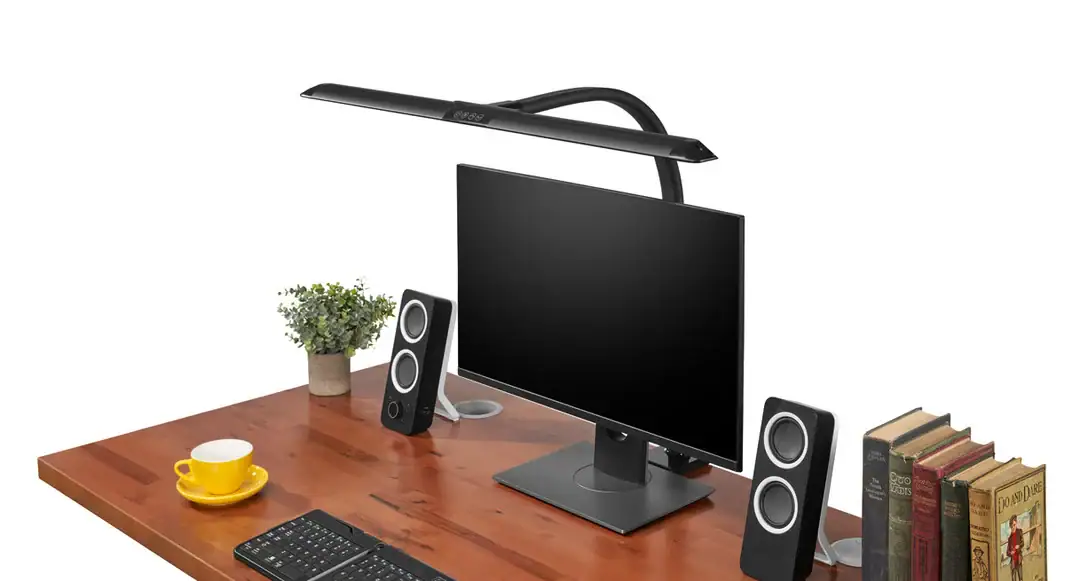
The Sliding Flex Lamp is basically what happens when your desk lighting decides it’s done being boring and starts pulling its weight. It’s designed for people who want their workspace to look sharp, feel intentional, and not leave them squinting into the abyss at 9pm.
• That extra-wide 34-inch LED panel means it doesn’t just light your desk—it basically blankets your whole setup so there are no “mysterious shadow zones” behind your monitor
• The sliding head is weirdly genius; it shifts left or right so it actually works around monitor arms instead of fighting them like most desk lamps do
• Multiple brightness levels and color temperatures let them go from “deep focus mode” to “soft evening glow” without touching anything complicated or annoying
If you’re gifting this, you’re not just giving a lamp—you’re giving someone the ability to pretend their entire workspace is suddenly more productive and aesthetically pleasing. Which, honestly, it kind of is.
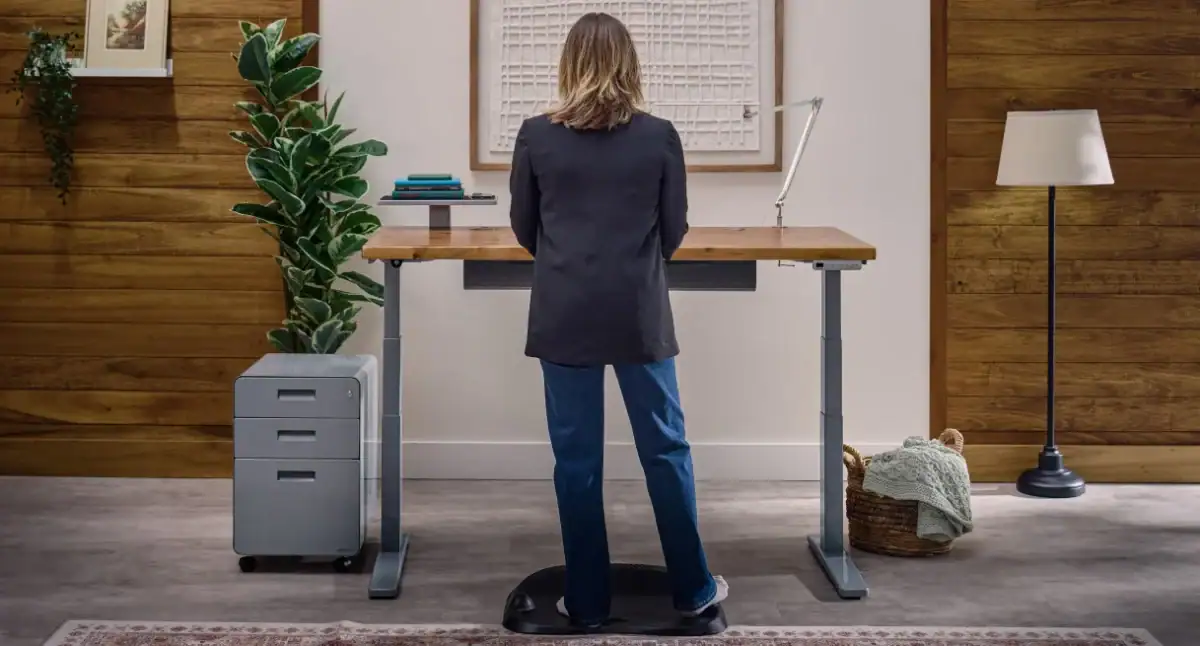
If you’re shopping for the person who has fully embraced the “standing desk era,” this bundle basically turns their workspace into a low-key wellness setup. It’s the kind of gift that says you care about their posture, their productivity, and the fact that they probably forgot what it feels like to sit normally.
• The Active Anti-Fatigue Mat takes standing from “why am I doing this” to “okay, I can actually do this all day,” thanks to cushioned support and subtle pressure-relieving textures that keep legs from staging a protest
• The Bamboo Motion-X Board adds movement into the mix so they’re not just standing there like a statue—it lets them rock, shift, and engage their core while pretending they’re just answering emails
• The Cable Master Bundle is the behind-the-scenes hero that wipes out cord chaos completely, bundling everything into a clean, organized system so the desk looks polished instead of like it’s quietly powered by spaghetti
Together, these accessories basically upgrade a desk from “functional” to “I might actually enjoy working here.” And honestly, that’s a rare enough gift category on its own.
SHOP:
UPLIFT Desk V3 Standing Desk | Clarksville Ergonomic Chair | E7 Electric Standing Desk Converter | Clarksville Ergonomic Chair | Sliding Flex Lamp
EXPLORE AND CONNECT:
UPLIFT Desk | Facebook | Instagram | X | Youtube | Pinterest
reMarkable
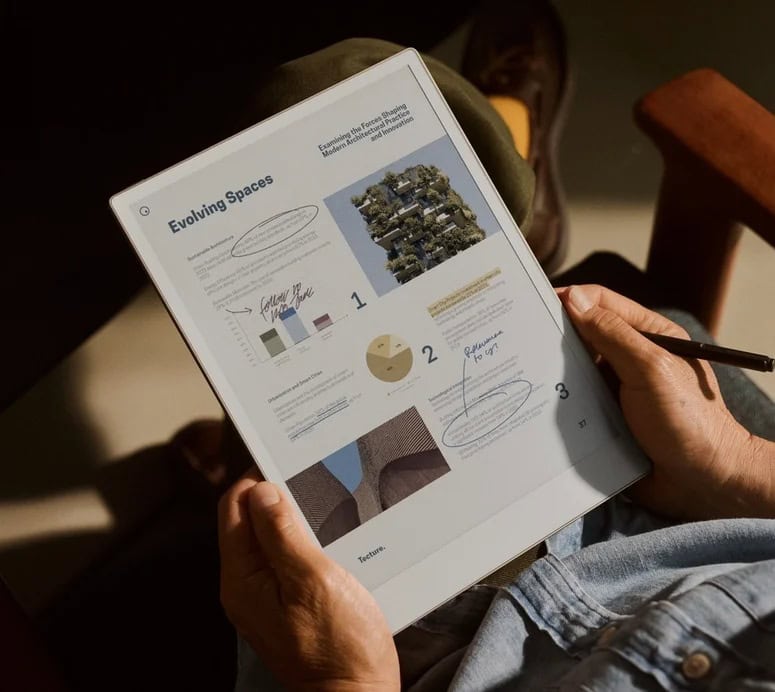
Summer has a way of shifting the routine, making it helpful to have tools that keep notes, documents, and ideas in one calm, organized place. Whether you are moving between work, travel, family plans, or a more flexible daily schedule, the reMarkable Paper Pro makes it easier to stay focused without adding more digital noise.
It brings the familiar feel of paper into a digital workspace with an 11.8” color display, adjustable reading light, and an ultra-slim, portable design that can move with you throughout the day. From handwritten notes and document review to highlighting, sketching, and planning, it gives everyday thinking a more streamlined place to land.

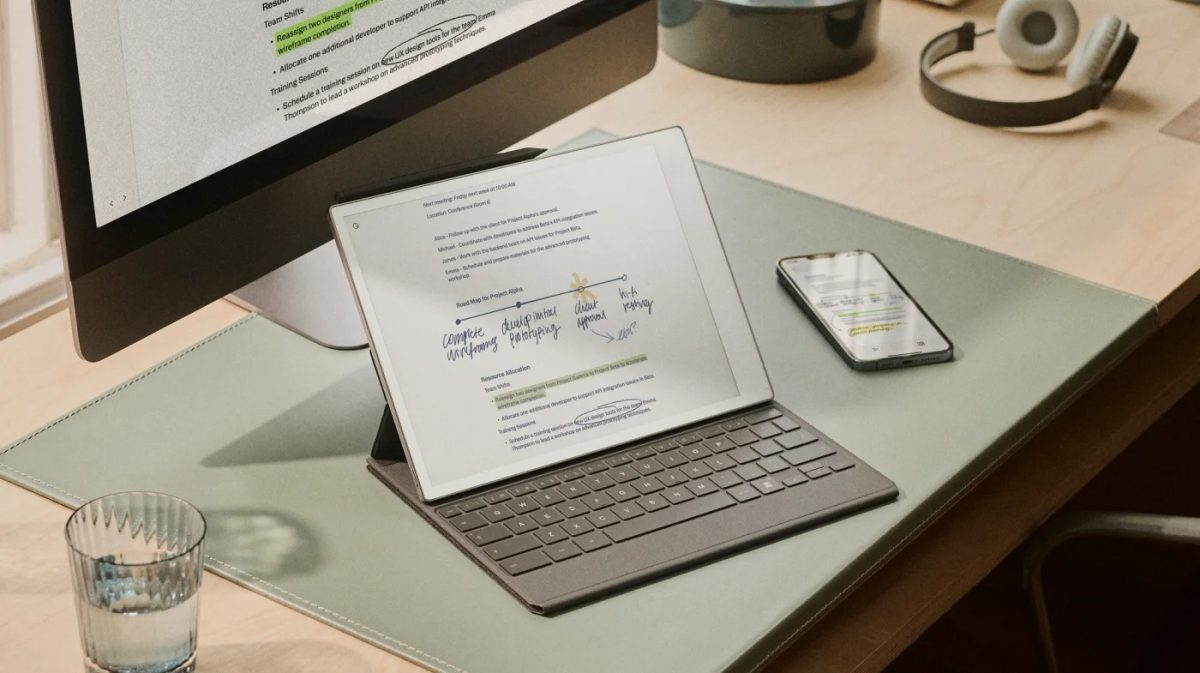
The real beauty of reMarkable Paper Pro is how it supports both creative thinking and everyday organization. It gives you a quieter way to write, read, highlight, and plan without the constant distractions of a typical tablet.
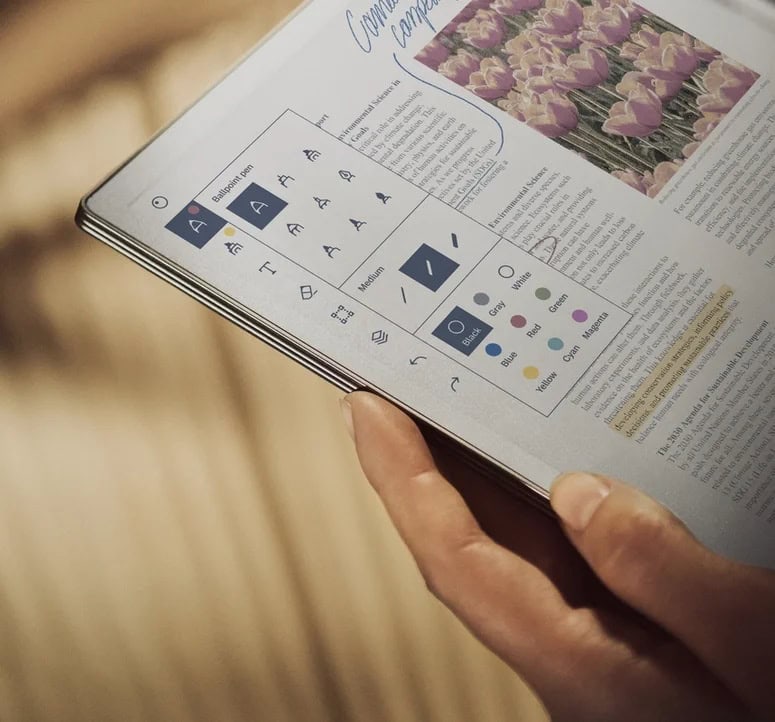
- Feels beautifully close to paper: The textured display, fast responsiveness, and less-than-1 mm pen-to-ink distance make writing feel natural and smooth.
- Adds color with purpose: The Canvas Color display lets you highlight notes, mark up documents, sketch ideas, and make complex information easier to understand.
- Designed for focus: reMarkable Paper Pro is built to be distraction-free, helping you stay with your notes, reading, or creative work.
- Comfortable in different settings: The adjustable reading light, low-glare screen, and eye-friendly display make it easier to read and work in changing light.
- Keeps everything organized: Folders, tags, and virtually limitless pages help keep notebooks, PDFs, plans, and paperwork easy to access.
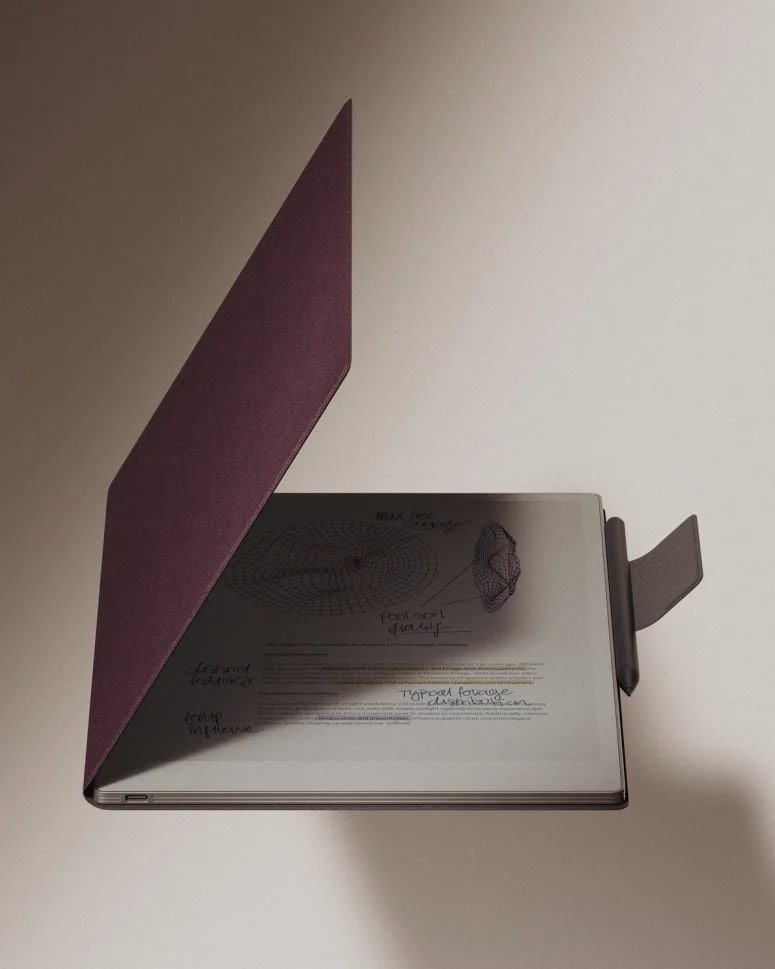
- Flexible accessories: Choose between Marker or Marker Plus, plus cover options like the Book Folio or Type Folio for handwriting, typing, and added protection.
Whether you are reviewing documents, organizing notes, adding color to plans, or capturing ideas as they come, reMarkable Paper Pro helps keep everything in one streamlined space.
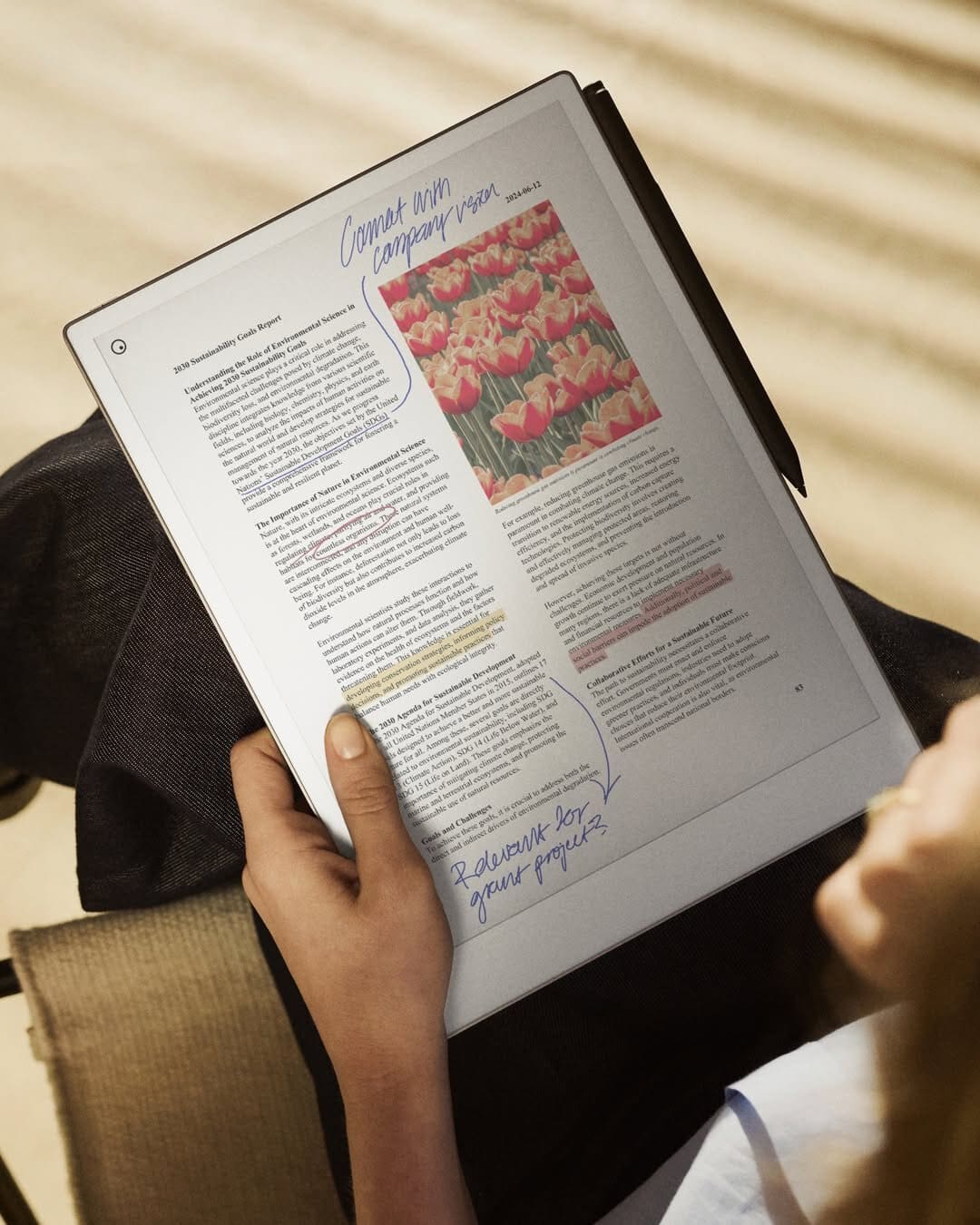


It is a thoughtful pick for anyone who loves the feel of writing things down but wants a lighter, more organized way to manage notes, plans, and documents. During a season when routines often change and days can feel more fluid, it offers a calmer kind of productivity that still feels practical.
The color display makes it easier to bring structure to busy thoughts, while the paper-like writing experience keeps the process feeling natural and familiar. From color-coded notes and annotated PDFs to creative sketches and everyday to-dos, reMarkable Paper Pro helps turn scattered ideas into something clear, portable, and easy to return to.
SHOP:
reMarkable Paper Pro
EXPLORE AND CONNECT:
reMarkable | Facebook | Instagram | X | Youtube | Pinterest | TikTok | Amazon
Elegoo
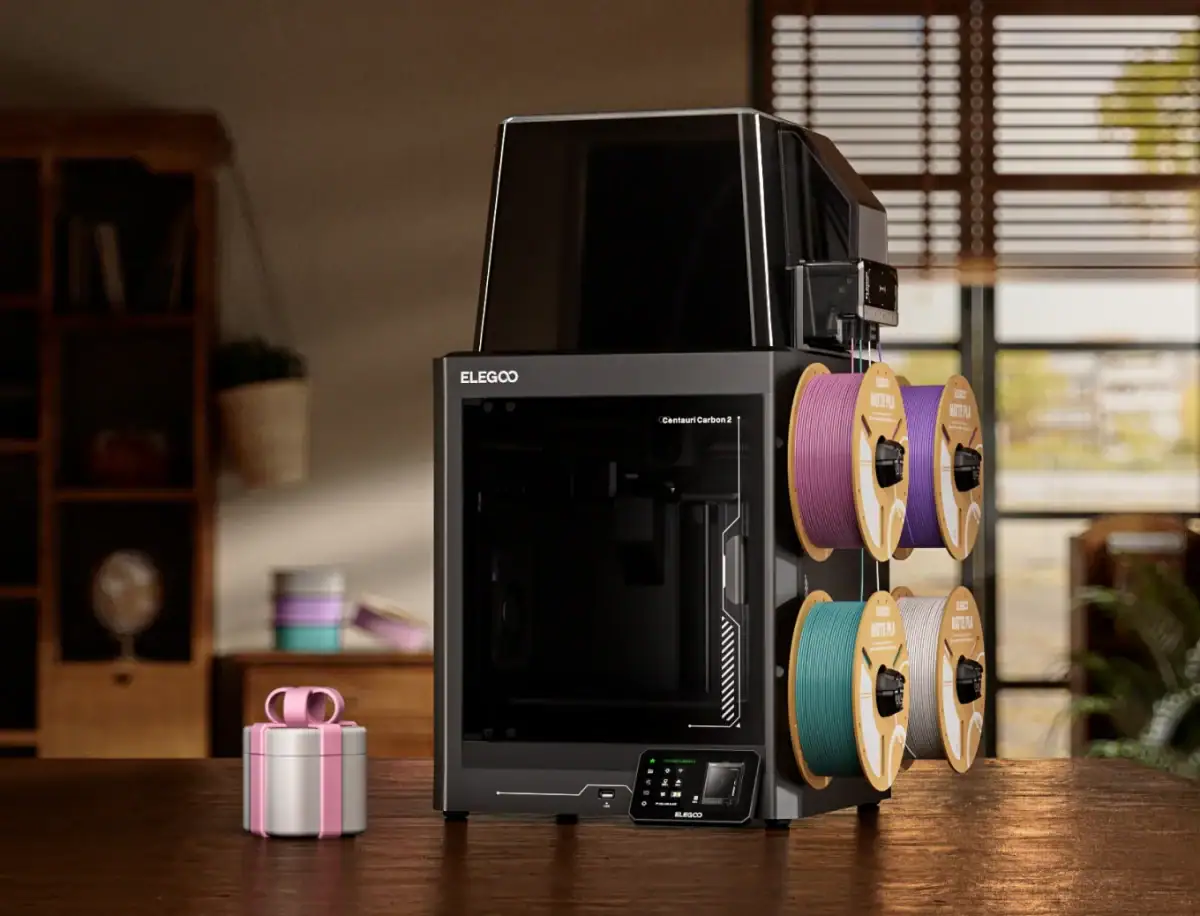
Elegoo Centauri Carbon 2 Combo + 4 kg PLA Basic with Refillable Spool brings together high-speed 3D printing, multicolor capability, and a generous filament bundle in one package. With Canvas 4-color printing, a 350°C nozzle, and a fully enclosed chamber with a smart grille, it’s built for makers who want flexibility without turning every print into a troubleshooting session.


- CANVAS 4-Color Printing – Enjoy seamless 4-color printing with instant color switching, smart filament detection, auto-refill, and tangle detection for smoother multicolor projects.
- Redefined Material Versatility – A 350°C nozzle, enclosed chamber with smart grille, and advanced temperature control enable printing across a wide range of materials, from basic to engineering-grade options.
- Full-Auto Calibration – Automated calibration and monitoring help simplify the printing process, making it easy to load material, start a print, and let the system handle the setup.
- Fast CoreXY Performance – The CoreXY motion system, rigid aluminum frame, speeds up to 500 mm/s, and acceleration up to 20,000 mm/s² are designed to deliver fast, precise, and stable printing.
- Intelligent Detection and Print Quality Enhancements – Equipped with 31 sensors, smart calibration, and active vibration compensation to help produce smoother surfaces and sharper details.
- Quiet Operation and Connected Ecosystem – Prints quietly under 45 dB while integrating with the ELEGOO ecosystem for streamlined workflows, powerful tools, and seamless connectivity.
- Comprehensive Box Contents – Includes the Centauri Carbon 2, Touch Screen, Power Cord, 4-Pin Cable, Unclogging Pin, Allen Key, Screwdriver, Filament Sample, Spare Nozzle Wiper, User Manual, USB Flash Drive, Scraper Blade, four Spool Holder Modules, Filament Hub, CANVAS Mounting Bracket, Thermal Cover, four PTFE Tubes, and Nozzle Wiper Assembly.
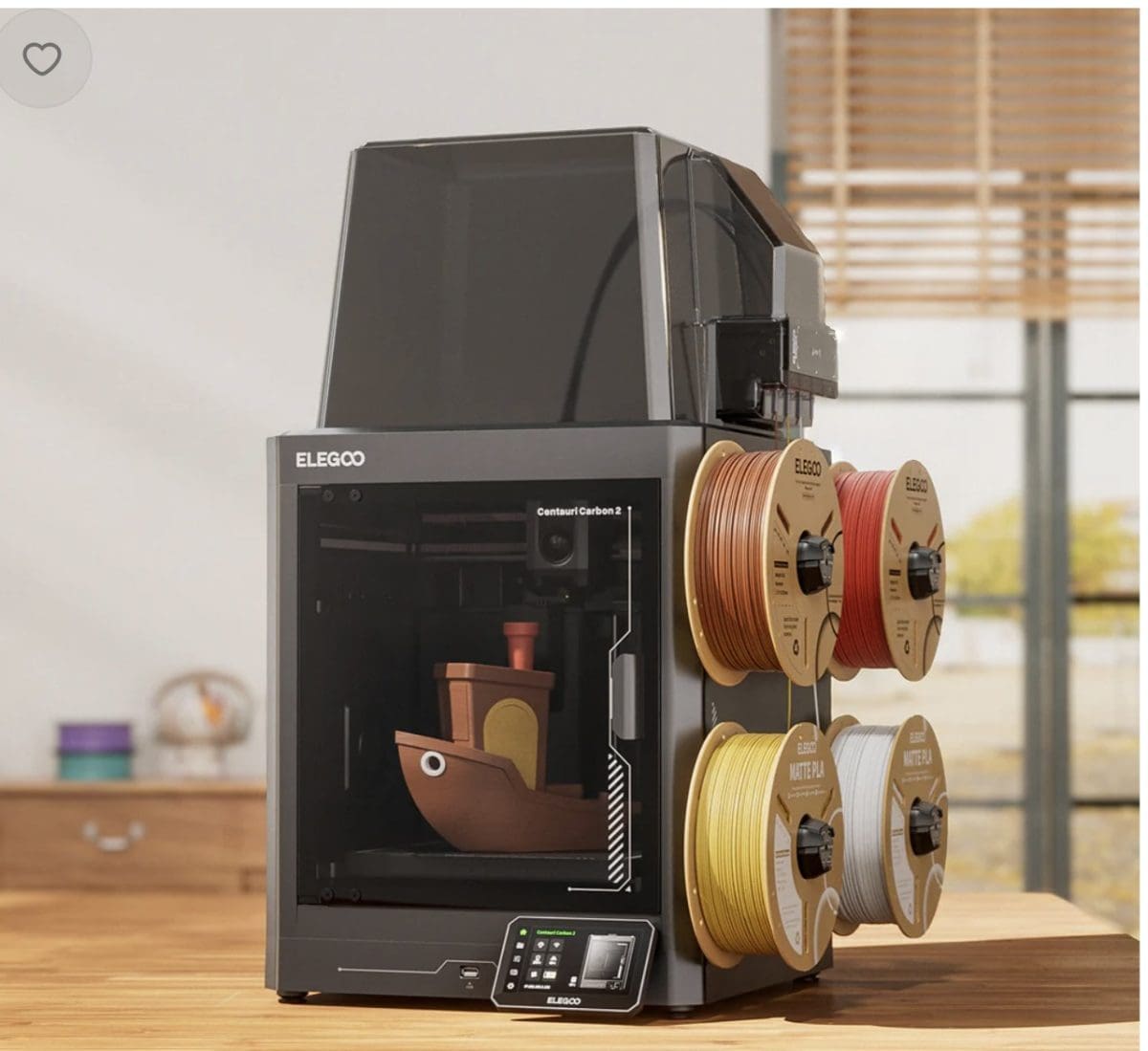
The ELEGOO Centauri Carbon 2 Combo + 4kg PLA Basic Bundle offers a convenient all-in-one solution for makers who want to start printing colorful projects immediately. Combining advanced multicolor printing technology, intelligent automation, and a substantial filament supply, it’s a package designed to keep creativity moving without unnecessary interruptions.
SHOP:
Centauri Carbon 2 Combo + 4 kg PLA Basic with Refillable Spool (Basic Colors)
EXPLORE AND CONNECT:
Elegoo | Facebook | Instagram | X | Youtube | TikTok
CINCOM
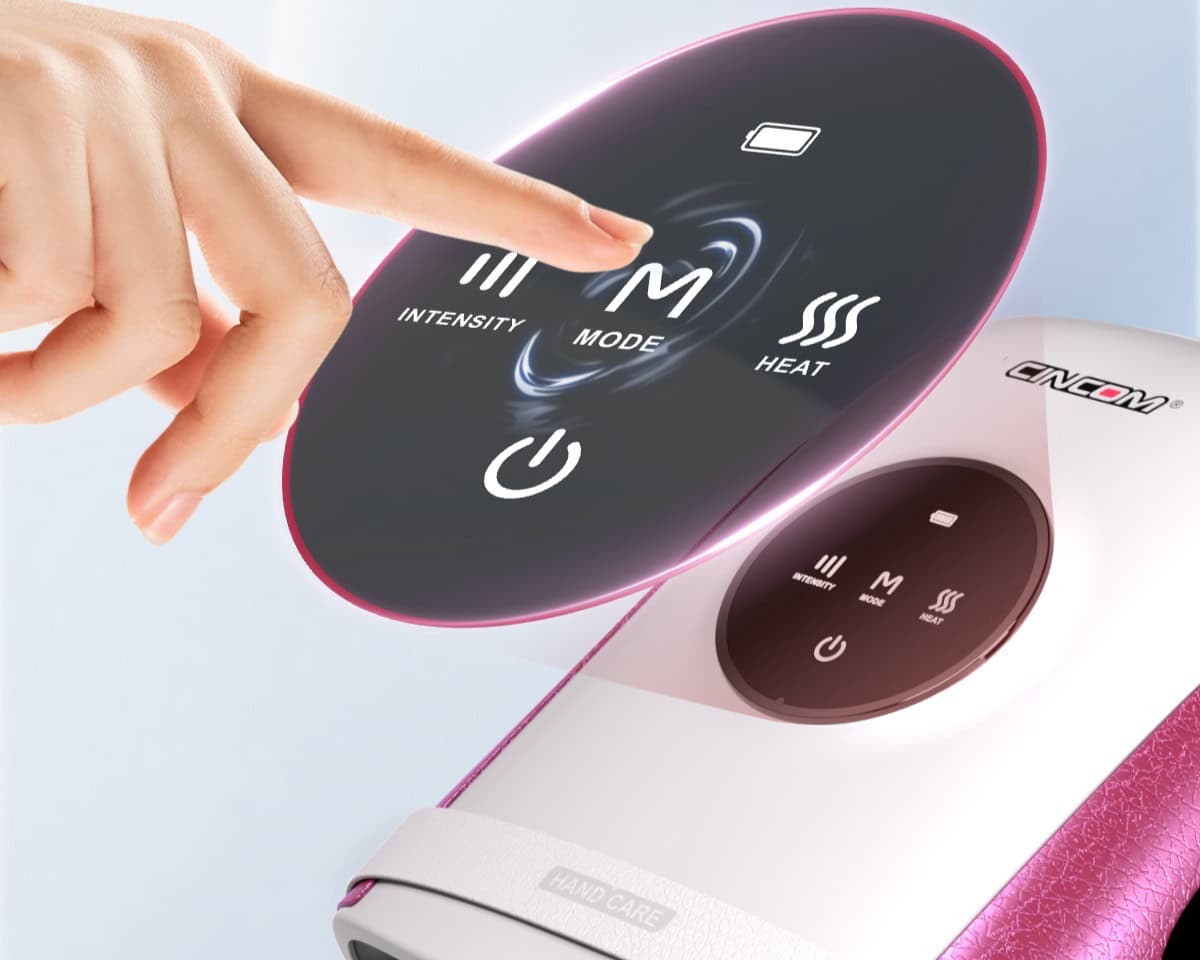
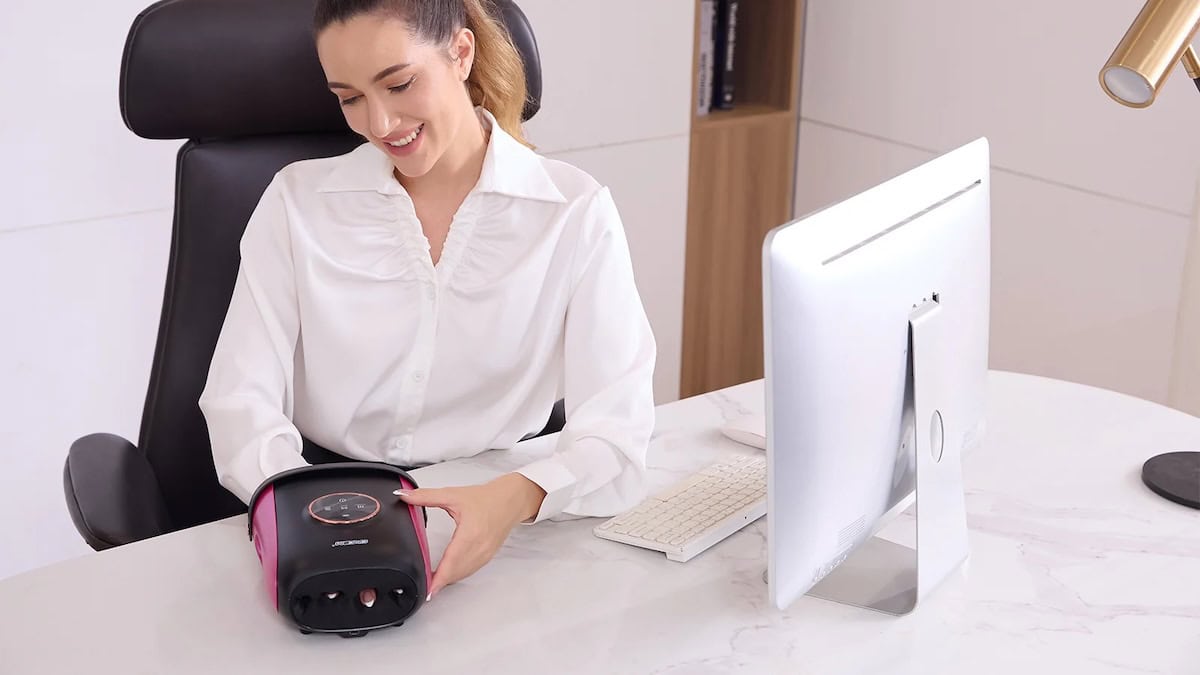
If your hands have already filed a formal complaint about back-to-school season, this one’s for you. Between the marathon note-taking, the late-night typing, the color-coded planners, and the group chats that never quit, our poor hands take a beating before the first bell even rings. The CINCOM SmartTouch Hand Massager gives those hardworking fingers a warm, cushioned break — heat plus gentle air compression that melts away the stiffness and fatigue, so you can keep showing up (and scrolling, and grading, and doodling) without the ache.
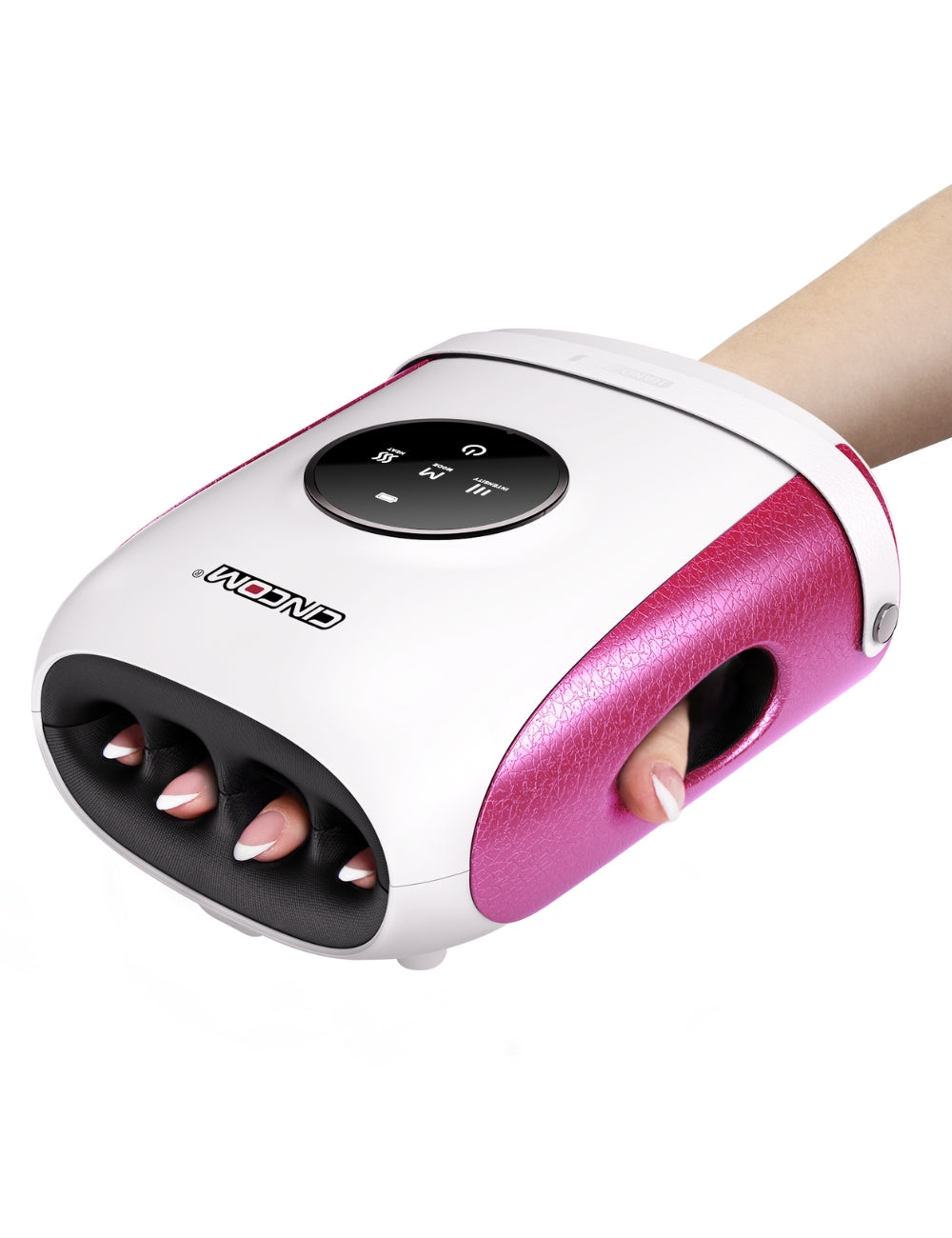
- Full finger & hand relief – air compression gently wraps each finger and the palm for a complete, hand-hugging massage.
- SmartTouch controls – 3 intensity levels, 3 massage modes, and 2 heat settings to dial in exactly what tired hands need.
- Soothing heat therapy – warmth eases stiffness, tension, and cold hands after hours of typing and note-taking.
- Cordless & rechargeable – no cords, no outlet hunting; use it at the desk, on the couch, or during carpool pickup.
- Made for hardworking hands – a favorite for students, office workers, crafters, new parents, and arthritis-prone hands.
- Gift-ready design – sleek enough to hand off to the teacher, the college kid, or yourself (zero judgment here).
From first-day jitters to finals-week marathons, the CINCOM SmartTouch Hand Massager keeps busy hands warm, loose, and ready for whatever the school year throws at them.
SHOP:
CINCOM SmartTouch Hand Massager for Finger & Hand Relaxation (096H)
EXPLORE AND CONNECT:
CINCOM | Facebook | Instagram | YouTube | TikTok | Pinterest
Soundcore


Back-to-school season means busy classrooms, packed study halls, long bus rides, and finding a quiet place to focus amid the chaos. Whether they’re heading to high school, college, or simply tackling homework at the kitchen table, a great pair of headphones can make all the difference. That’s why the soundcore Space One headphones deserve a spot on every back-to-school shopping list.
Known for combining premium features with an approachable price point, soundcore has become a favorite among students and families alike. The Space One headphones don’t just perform beautifully; they look beautiful, too. The soft neutral color feels elevated and stylish while the lightweight design makes them comfortable enough to wear through an afternoon of classes, study sessions, or travel between home and school. With adaptive noise cancellation, Hi-Res audio, and an impressive battery life, they’re designed to help students stay focused wherever learning happens.
What You’ll Love
- Helps eliminate distractions – Adaptive Active Noise Cancellation reduces up to 98% of outside noise, making it easier to concentrate on homework, online classes, or studying in busy environments.
- A color they’ll actually want to wear – The Latte Cream finish offers a modern, sophisticated look that stands out from basic black headphones.
- All-day battery life – Enjoy up to 40 hours of listening with ANC enabled or up to 55 hours without it, meaning they can make it through the school week with minimal charging.
- Perfect for students on the go – The foldable design and included travel pouch make it easy to toss into a backpack between classes.
- Crystal-clear calls and virtual learning – Three AI-enhanced microphones help ensure voices come through clearly during video calls, study groups, or virtual classes.
- Comfort that lasts – Soft ear cushions, a floating headband, and rotating ear cups are designed for hours of comfortable listening without added pressure.
- Switch seamlessly between devices – Multipoint Bluetooth connectivity lets students stay connected to both a laptop and smartphone without constantly reconnecting.
Back-to-school shopping isn’t just about notebooks and backpacks anymore. The right technology can help students stay organized, productive, and focused throughout the year. Whether they’re tuning out distractions in a noisy dorm, listening to a lecture on the bus ride home, or diving into homework after school, the soundcore Space One headphones are a practical investment they’ll use every single day. Add in the beautiful Latte Cream finish, and you’ve got a back-to-school essential that combines style, comfort, and performance in one impressive package.
SHOP:
Soundcore Space One Active Noise Cancelling Headphones
EXPLORE AND CONNECT:
Soundcore | Facebook | Instagram | Twitter
JLab
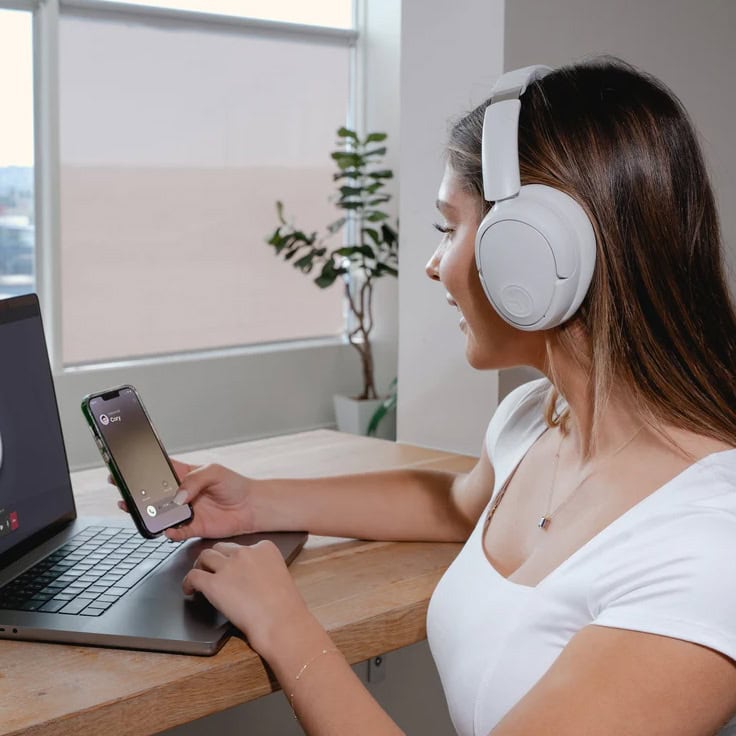

Whether you’re heading back to high school, settling into a college dorm, or simply trying to carve out a quiet study space at home, a quality pair of headphones is one of the smartest back-to-school investments you can make. From online classes and educational videos to playlists that help you focus, the right headphones make it easier to tune out distractions and stay productive.
JLab has built a reputation for delivering premium features at prices that won’t blow your back-to-school budget. The JBuds Lux ANC Headphones combine impressive sound quality, long battery life, and all-day comfort into a sleek over-ear design that looks just as good walking across campus as it does sitting at your desk. With active noise cancellation, customizable audio, and a comfortable fit, they’re designed to keep up with everything the school year has in store.
What You’ll Love
- Hybrid Active Noise Canceling (ANC) helps block out distractions in busy classrooms, noisy dorms, coffee shops, or while studying at home. Need to stay aware of your surroundings? Simply switch to Be Aware Mode to hear announcements or conversations without removing your headphones.
- With an incredible 70+ hours of battery life (or up to 40+ hours with ANC turned on), you can go days or even weeks without worrying about charging. Even better, a quick 10-minute charge provides up to 7.5 hours of listening time, perfect for those mornings when you forgot to plug them in overnight.
- Cloud Foam™ ear cushions and an adjustable headband make these headphones exceptionally comfortable for long study sessions, travel days, or marathon homework nights. The lightweight design and rotating earcups also fold neatly into a backpack without taking up much room.
- 40mm drivers and Lab Spatial Audio compatibility deliver rich, immersive sound whether you’re listening to music, streaming lectures, watching videos, or taking virtual classes. You can also customize your listening experience through the JLab App with personalized EQ settings and sound profiles.
- Bluetooth Multipoint lets you stay connected to two devices at once, making it easy to switch from your laptop to your phone without constantly reconnecting. It’s a feature students will appreciate when balancing schoolwork, calls, and entertainment throughout the day.
- Available in the soft Cloud color, these headphones offer a clean, modern look that pairs with just about any backpack, laptop, or dorm room aesthetic.
Back-to-school season is busy enough without dealing with uncomfortable headphones or constant charging. The JLab JBuds Lux ANC Headphones offer premium features, impressive battery life, and comfortable all-day wear at a price that’s hard to beat. Whether you’re studying for exams, joining virtual classes, commuting across campus, or simply enjoying your favorite playlist between classes, these headphones are ready to become one of the hardest-working items in your backpack.
SHOP:
JBuds Lux ANC Over Ear Headphones
EXPLORE AND CONNECT:
JLab | Facebook | Instagram | X | Tiktok | YouTube
Why Nimble Chargers Are Perfect for Life On the Go
Whether you are traveling, commuting, working remotely, or simply managing multiple devices throughout the day, Nimble makes staying powered up easier with compact, convenient, and sustainable charging solutions. Designed for modern lifestyles, Nimble chargers combine fast-charging technology with portable designs that help eliminate tangled cords and bulky adapters. Made with recycled materials and thoughtful features, Nimble products are ideal for keeping phones, tablets, laptops, and other essentials charged wherever your day takes you.
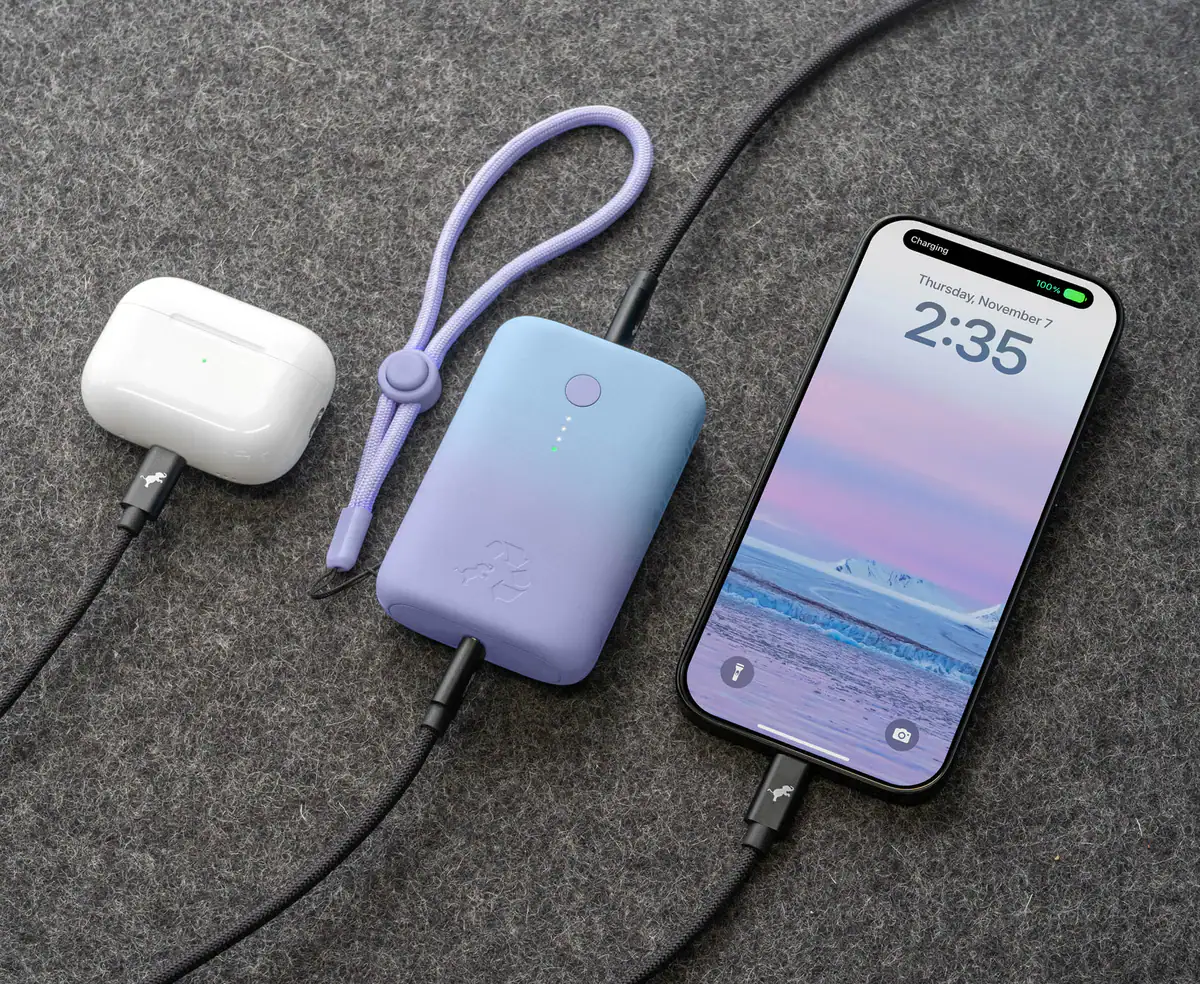
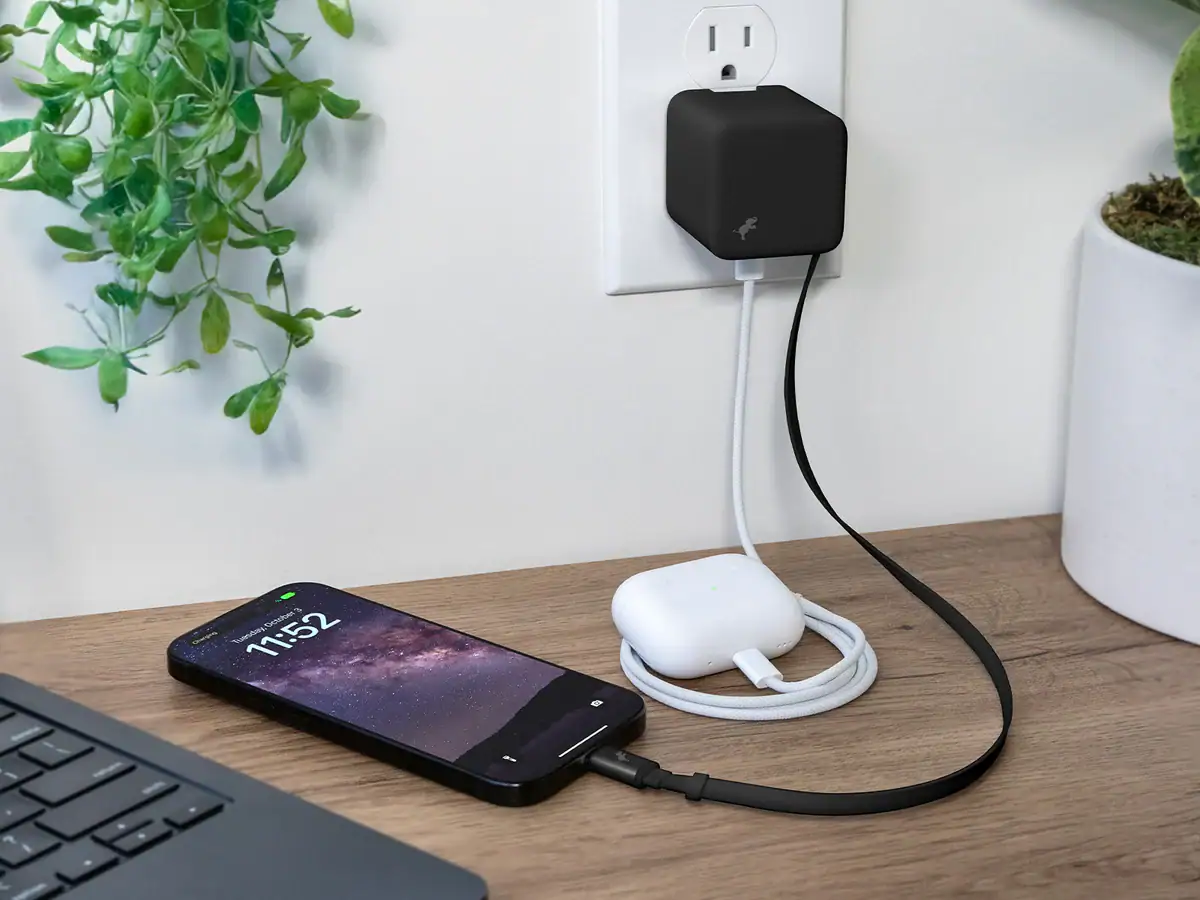
- The Nimble CHAMP Portable Charger is a compact power solution designed to keep your devices charged when you are away from an outlet. Its portable design makes it easy to pack in a purse, backpack, or carry-on, providing reliable backup power for busy days, travel adventures, and unexpected low-battery moments.
- The Nimble WALLY Stretch 65W Wall Charger combines powerful charging performance with travel-friendly convenience. Featuring a built-in retractable USB-C cable, a compact foldable design, and 65W fast charging capability, it can power everything from smartphones and tablets to laptops while reducing the need to carry multiple chargers. Its sleek, space-saving design makes it a must-have for work trips, vacations, and everyday charging needs.
With Nimble, staying connected is simple—making these chargers the perfect companions for travelers, professionals, students, and anyone who needs reliable power wherever they go.
SHOP:
Nimble CHAMP Portable Charger | Nimble WALLY Stretch 65W Wall Charger
EXPLORE AND CONNECT:
Nimble | Facebook | Instagram | Youtube | Tiktok
Belkin
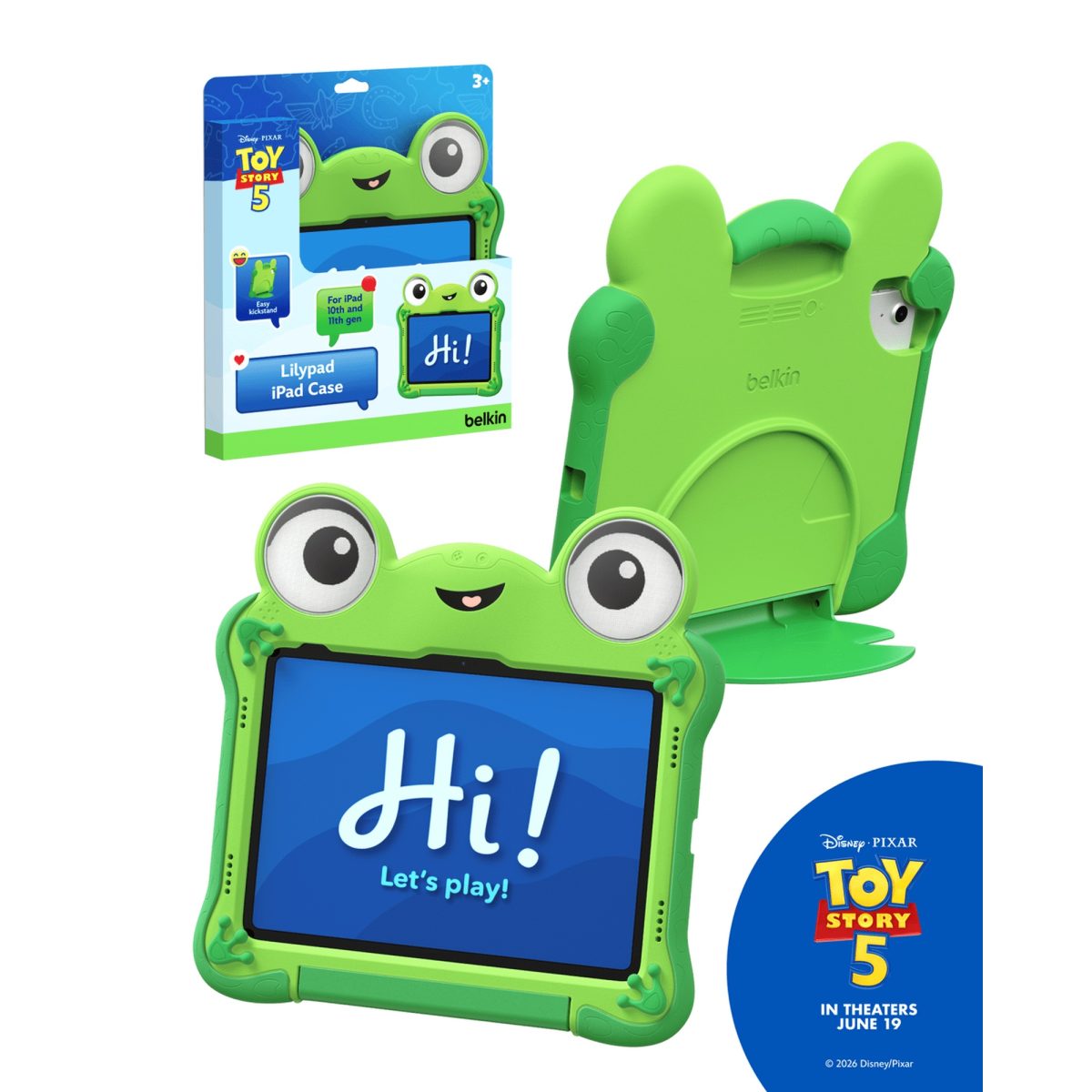
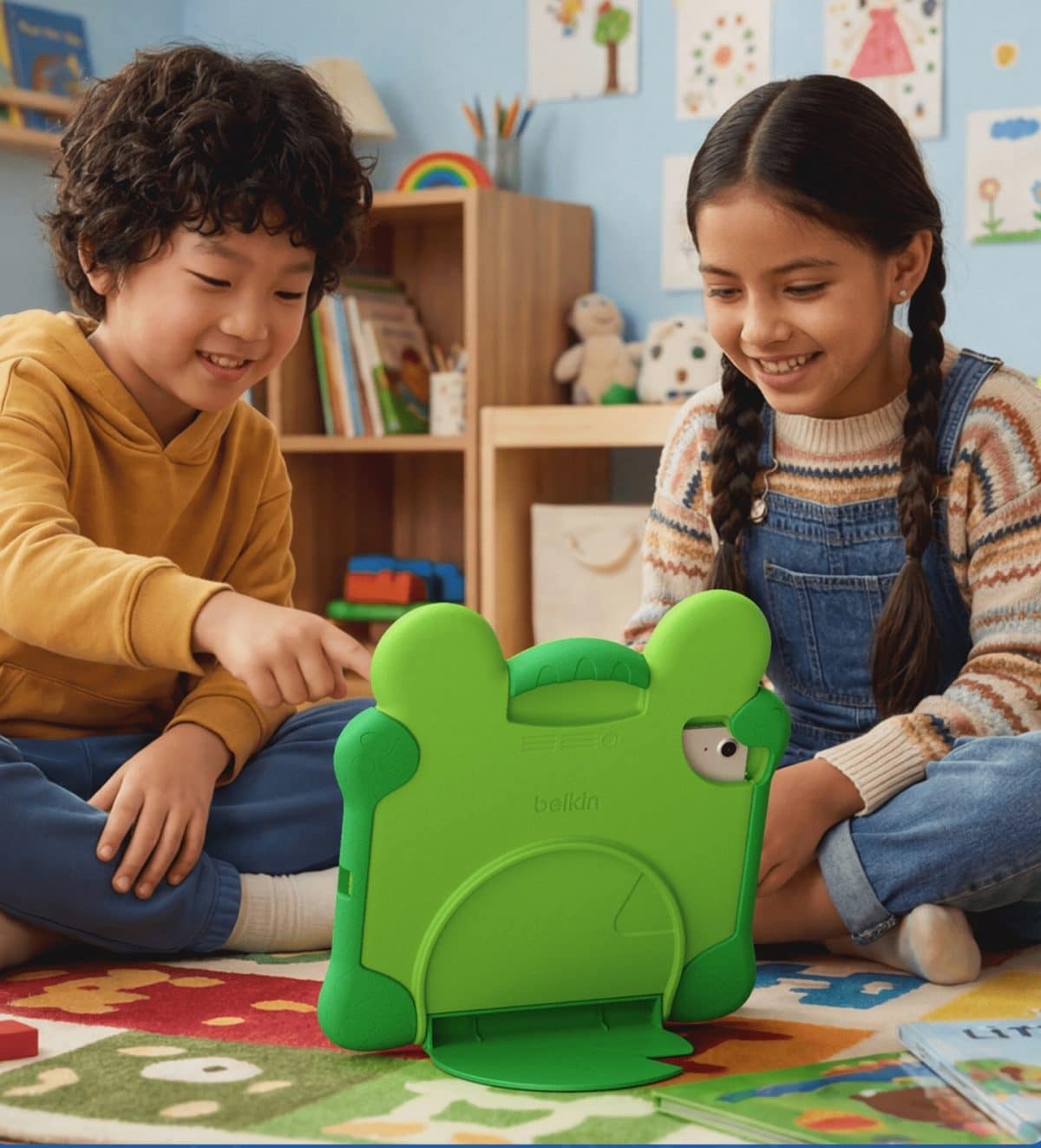
Back-to-school season often means tablets are back in the daily routine, whether kids are using them for learning apps, reading practice, travel entertainment, or quiet time after a full day in the classroom. The Belkin Disney and Pixar Toy Story Lilypad Tablet Case adds a playful layer of protection to an iPad while bringing a little movie-inspired magic to everyday tech. With its cheerful Lilypad design, kid-friendly handle, and built-in stand, it helps make tablet time feel easier to manage at home, in the car, or on the go.
The Belkin Lilypad Tablet Case is inspired by Disney and Pixar’s Toy Story world, giving kids a fun, character-filled way to carry and use their iPad. Designed for iPad A16, iPad 11th generation, and iPad 10th generation models, it helps protect against the bumps, drops, and everyday handling that come with younger users.
The case features a shockproof protective design, making it a practical pick for school bags, homework stations, road trips, waiting rooms, and family travel. The built-in handle makes it easier for little hands to carry from room to room, while the kickstand supports hands-free viewing for videos, virtual learning, reading, or creative apps. Parents will also appreciate that the case is made with durable, non-toxic materials, offering a little extra peace of mind for kids who use their tablets often. For families balancing learning, entertainment, and device care, this tablet case is a sweet back-to-school upgrade. It turns a practical tech accessory into something kids are excited to use—and maybe even a little more likely to keep track of.
What You’ll Love
- Playful Disney and Pixar Toy Story-inspired Lilypad design
- Compatible with iPad A16, iPad 11th generation, and iPad 10th generation models
- Shockproof protective cover helps guard against everyday bumps and drops
- Built-in handle makes carrying easier for younger kids
- Kickstand supports hands-free use for learning, reading, and entertainment
The Belkin Disney and Pixar Toy Story Lilypad Tablet Case is thoughtful for families who want tech accessories to be both protective and fun. Whether it is headed to grandma’s house, tucked into a travel bag, or set up at the kitchen table for homework time, this case helps keep little learners’ tablets safer, easier to use, and ready for the school-year routine.
SHOP:
Disney and Pixar Toy Story Lilypad Tablet Case
EXPLORE AND CONNECT:
Belkin | Instagram | Facebook | TikTok
DODOcase


Back-to-school season calls for accessories that help simplify your daily routine, and the Leather iPhone Wallet Case by DODOcase does exactly that. By combining a handcrafted leather wallet with secure phone protection, it keeps your everyday essentials together, whether you’re heading to class, the library, or your next activity.
- Thoughtfully designed storage – Designed in-house by craftsman Lorna, this leather iPhone wallet case features two leather-panel interior pockets that hold credit cards, an ID, cash, business cards, and receipts.
- Slim and practical – The sleek leather design is designed to carry your essentials without adding bulk. For the best fit, the case is recommended to hold up to two cards per panel pocket.
- Secure phone protection – An eco-friendly biodegradable tray keeps your iPhone securely in place while making it easy to remove by gently pressing down on one of the corners.
The Leather iPhone Wallet Case is a smart pick for students and anyone who prefers to carry less while staying organized. It’s a stylish way to keep your phone and daily essentials together throughout the school day.
SHOP:
Leather iPhone Wallet Case
EXPLORE AND CONNECT:
DODOcase | Facebook | Instagram | X | Youtube | Pinterest
Online Courses to Help You Succeed This Fall
Acely
Preparing for the SAT and ACT can feel overwhelming, but Acely makes the process more manageable by providing students with a personalized, AI-powered study experience designed to help them build skills, improve confidence, and prepare more effectively. Unlike traditional test prep methods that require students to follow a one-size-fits-all study plan, Acely adapts to each student’s strengths and weaknesses, helping them focus their time on the areas where they can make the biggest improvements.
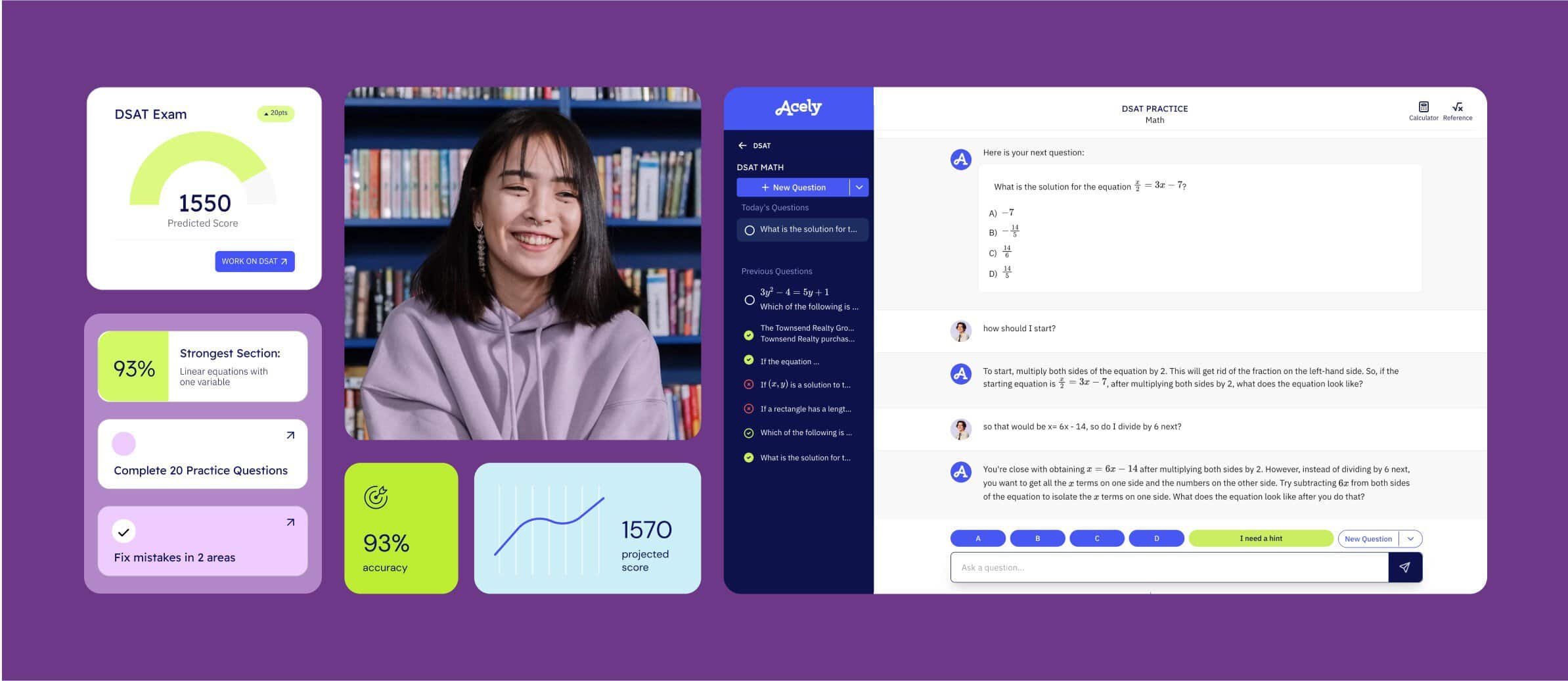
Acely combines thousands of SAT and ACT practice questions, full-length practice exams, performance tracking, and AI-powered guidance to create a flexible study program students can use anytime and anywhere. Its adaptive learning system identifies challenging concepts, provides targeted practice, and offers explanations and feedback so students understand why an answer is correct—not just whether they got it right.
One of the biggest advantages of Acely is that it fits into a busy high school student’s schedule. Whether a student is beginning preparation months before test day or needs focused practice leading up to an exam, Acely helps create a structured approach with manageable study sessions. Students can monitor their progress, track improvements, and build familiarity with the format, pacing, and question styles they will encounter on the SAT or ACT.
For high school students preparing for college applications, Acely is a valuable resource because it combines the convenience of technology with personalized instruction. It helps students develop stronger test-taking strategies, strengthen academic skills, and approach test day with greater confidence. With accessible practice tools and customized learning support, Acely provides a modern solution for families looking to help students reach their SAT or ACT goals.
Whether a student is aiming for a higher score, applying to competitive colleges, or simply wanting to feel more prepared, Acely offers a convenient, engaging, and personalized way to make SAT and ACT preparation more effective.
EXPLORE AND CONNECT:
Acely | Instagram | Youtube | Tiktok
Rocket Languages

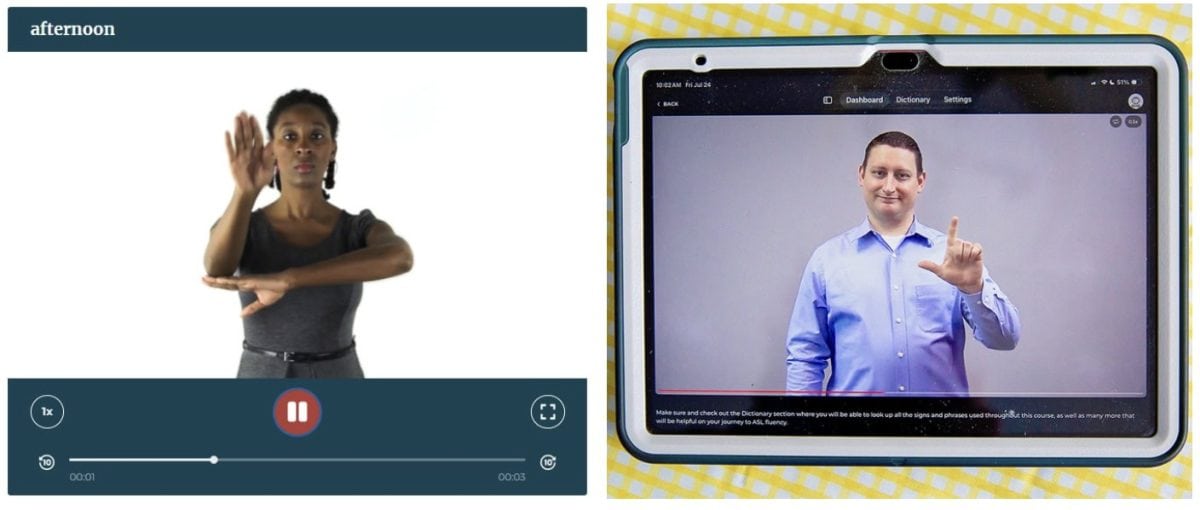
Learning a new language takes practice, especially when there are long breaks between classes. For students studying American Sign Language (ASL), it’s easy to lose confidence if they aren’t signing regularly. Whether there’s a gap between semesters, limited course offerings at school, or simply a desire to practice outside the classroom, having access to lessons at home can make a big difference.
Rocket Languages has helped language learners build confidence for years with flexible, self-paced online courses, and their American Sign Language program is no exception. Designed for beginners and continuing learners alike, the course makes it easy to review vocabulary, practice everyday conversations, and strengthen signing skills whenever it’s convenient. Whether you’re supplementing a high school ASL class, preparing for college coursework, or learning simply because you want to communicate with more people, Rocket Languages offers an engaging way to continue learning beyond the classroom.
What You’ll Love
- Perfect for filling the gaps between school courses. Not every school offers ASL every semester, and some students may have months between classes. Rocket Languages helps keep signs, vocabulary, and sentence structure fresh so students feel more confident when they return to the classroom instead of feeling like they’re starting over.
- Learn at your own pace. Students can log in whenever their schedule allows, making it easy to practice after school, on weekends, or during school breaks. There’s no pressure to keep up with a class, so learners can spend extra time reviewing concepts they find challenging.
- Interactive lessons make learning engaging. The course combines video instruction, quizzes, practice exercises, and cultural insights to reinforce learning in multiple ways. Instead of simply memorizing vocabulary, students build practical communication skills they can use in real conversations.
- Build confidence through repetition. Like any language, consistency matters. Having access to lessons outside of school encourages regular practice, helping students retain what they’ve learned and continue building their signing skills throughout the year.
- Useful beyond the classroom. While Rocket Languages is an excellent companion to high school and college ASL courses, it’s also a wonderful resource for families who want to learn together, adults interested in expanding their communication skills, or anyone looking to better connect with members of the Deaf and hard-of-hearing community.
- Lifetime access means learning doesn’t have to stop. Students can return to lessons whenever they need a refresher, making it a valuable resource throughout high school, college, and beyond.
Rocket Languages gives learners the flexibility to continue practicing at home, helping them retain vocabulary, improve confidence, and stay connected to the language between courses. Whether you’re taking ASL for school, preparing for future classes, or simply learning because you enjoy it, this self-paced program makes it easy to keep signing all year long.
SHOP:
Rocket Sign Language Courses
EXPLORE AND CONNECT:
Rocket Languages | Facebook | Instagram | YouTube
Tech Fun for Relaxation After Learning
NEX


Turn screen time into active family time with the Nex Playground. This innovative motion-based gaming system transforms your living room into an interactive play space where kids and adults can jump, dance, compete, and laugh together—making it a fun way to stay active without leaving the house.
Why You’ll Love the Nex Playground:
- Gets the Whole Family Moving – Motion-controlled games encourage kids and adults to jump, stretch, dance, and stay active while having fun together.
- No Controllers Required – The built-in wide-angle camera tracks natural body movements, so players can jump right into the action without handheld controllers or wearable devices.
- Perfect for Family Game Nights – With multiplayer games and activities designed for a variety of ages, it’s a great way to bring everyone together for friendly competition and active play.
- Safe, Kid-Friendly Entertainment – Designed with families in mind, the system focuses on active play in a private, child-friendly environment without ads, social media, or chats with strangers.
Whether you’re looking for a rainy-day activity, a way to burn off extra energy, or a new family game night favorite, the Nex Playground makes staying active together more fun than ever.
SHOP:
Nex Playground + 12 Month Play Pass
EXPLORE AND CONNECT:
Nex Playground | Facebook | Instagram | Youtube | TikTok
Grownsy
Let’s be honest — the back-to-school countdown usually comes with a heaping side of screen-time guilt. Enter the Grownsy Smart Drawing Robot, the screen-free little sidekick that actually makes your kiddo want to sit down and create. There’s no app to download, no fifteen-step setup, and no “Mom, it won’t turn on” meltdown — it’s ready to roll straight out of the box.
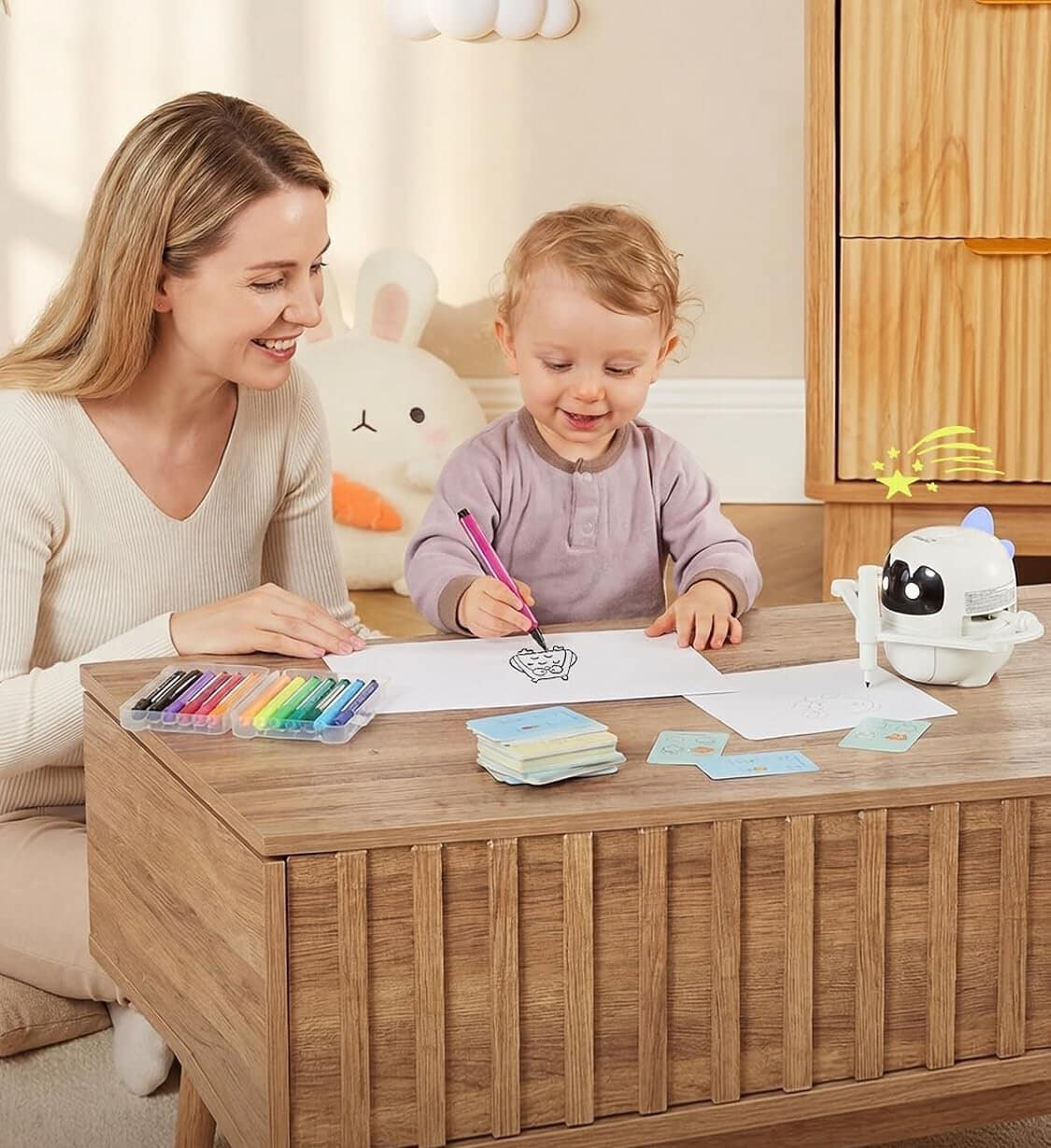

Your tiny artist just scans a card, and this clever bot walks them through drawing with cheerful sound effects, step-by-step voice guidance, and soft, responsive lighting that even dims itself to protect those precious peepers. Montessori-inspired, genuinely fun, and one hundred percent screen-free? Now that’s a back-to-school win.
- Screen-free & ready out of the box – no app, no confusing setup, just scan a card and let the doodling begin.
- Audio-visual magic – engaging sound effects, step-by-step voice guidance, and real-time responsive lighting keep little hands (and attention spans) happily hooked.
- Eye-friendly by design – the smart lighting can toggle based on the surroundings, so those precious peepers stay protected during every creative session.
- Montessori-inspired learning – builds hands-on creativity, independent thinking, hand-eye coordination, color perception, and observation skills for ages 3–8.
- Loaded with everything they need – 150 cards, 12 markers, 5 drawing pens, 1 reusable board, and a Type-C cable, all tucked in the box.
- Built to keep up – automatic standby plus long-lasting battery life means marathon art sessions without the babysitting.
Screen-free never looked this smart — this little robot turns “I’m bored” into an afternoon of doodling, learning, and giggling.
SHOP:
Grownsy Smart Drawing Robot for Kids
EXPLORE AND CONNECT:
Grownsy | Facebook | Instagram | TikTok
BUDDHA BOARD
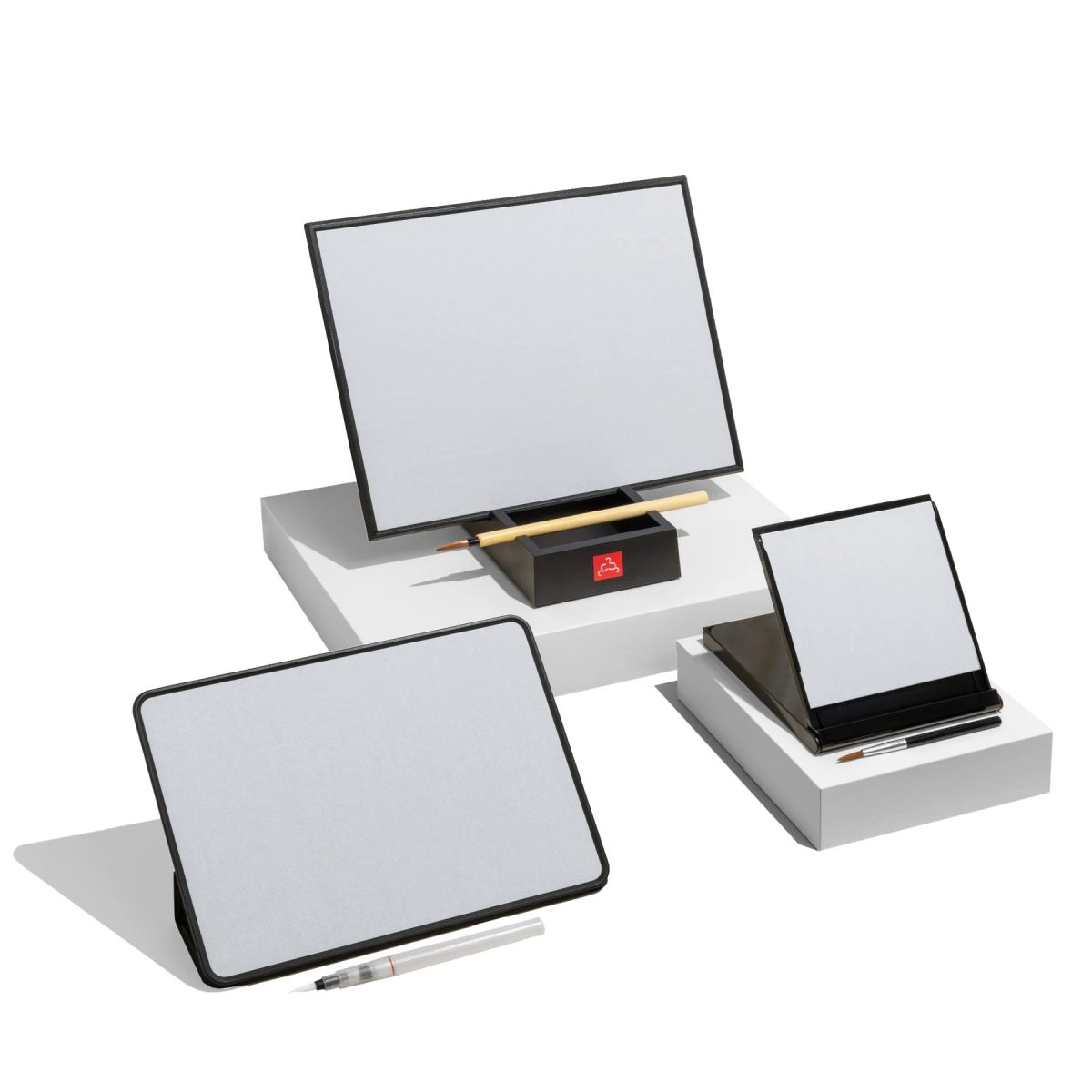
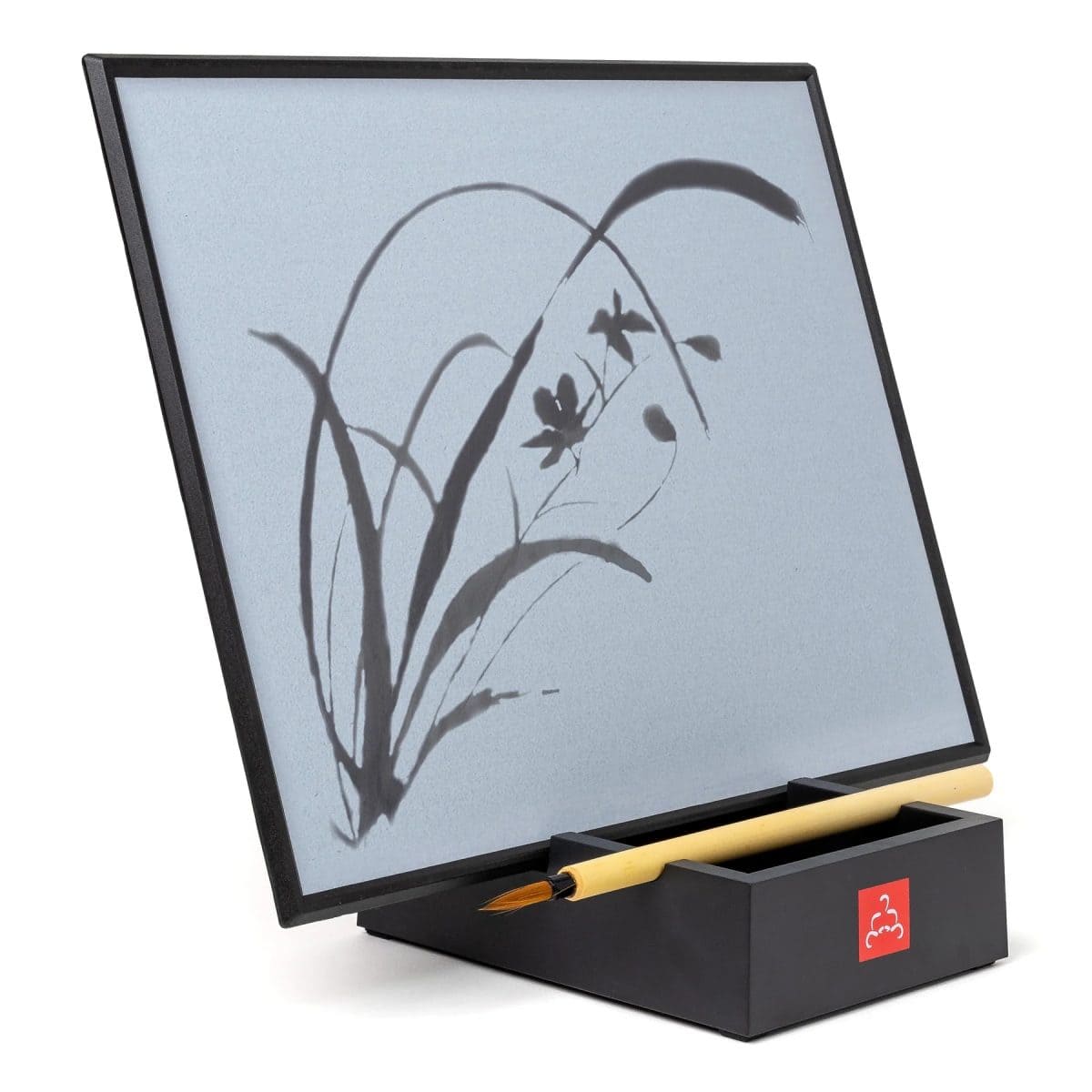
Sometimes you just need a moment of calm you can actually see, and this bundle delivers that in the most beautiful, hands-on way. It’s the kind of gift that feels thoughtful, grounding, and a little magical, whether you’re giving it to someone you love or treating yourself to a mindful reset.
- Black & White Color Options — Available in both sleek black and classic white, making it easy to match any home, office, or meditation space.
- Complete Mindfulness Set — Includes the Original Buddha Board, Mini Buddha Board, and Enso so you can paint, breathe, and reset anywhere.
- Zero-Mess Creativity — Paint with water, watch your strokes slowly fade, and enjoy the gentle reminder that everything is temporary.
- Perfect for Gifting — Comes beautifully packaged and feels like a curated experience rather than a single product.
- Mindful Moments Anywhere — Each piece is lightweight and portable, making it easy to bring calm to your desk, kitchen counter, or travel bag.
This bundle is a meaningful, aesthetically beautiful way to encourage presence, creativity, and a little everyday zen.
SHOP:
The Ultimate Mindfulness Bundle
EXPLORE AND CONNECT:
BUDDHA BOARD | Facebook | Instagram | Youtube | Pinterest
The Color Countess

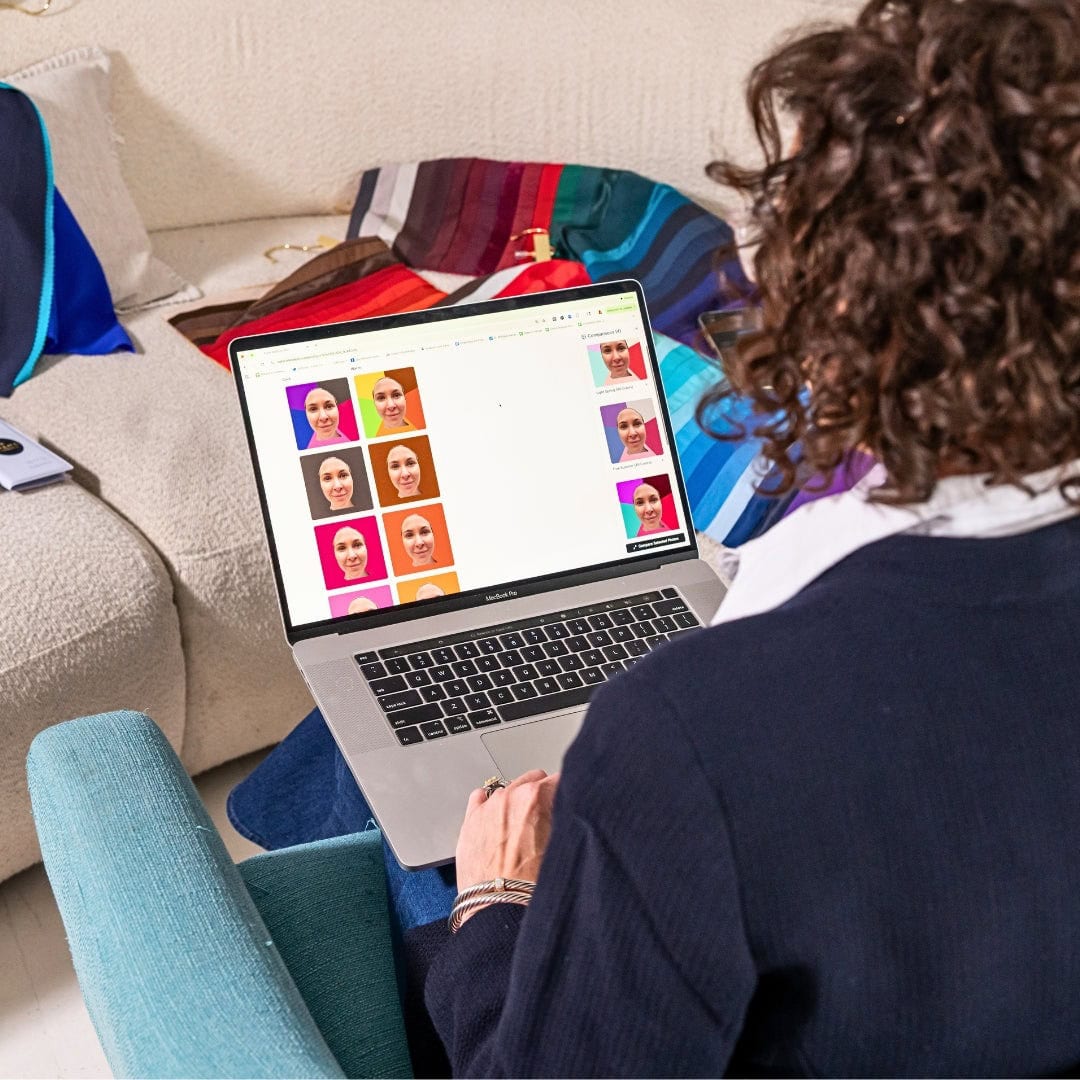
Some colors just make you feel instantly more like yourself. The Premium Photo Color Analysis from The Color Countess helps uncover the shades that naturally flatter your features, making it easier to shop, style, and get ready with more confidence.
- Personalized from home: Submit your photos and receive a custom color analysis without scheduling an in-person appointment.
- Makes shopping easier: The digital Palette Passport helps you spot your best shades when shopping online or in stores.
- Includes beauty guidance: Hair color recommendations, makeup tones, lipstick shades, and jewelry metals help create a more cohesive look.
- Goes beyond clothing: Prints, patterns, textures, and scale recommendations make styling outfits feel more intentional.
- Helps build confidence: A thoughtful way to understand what colors make you look and feel your best.
This is a practical, personal way to bring more ease into getting dressed and choosing beauty products. Instead of guessing, you have a clear guide to the shades that help you feel like your most polished, radiant self.
SHOP:
Premium Photo Color Analysis
EXPLORE AND CONNECT:
The Color Countess | Facebook | Instagram | Youtube | TikTok
Key Takeaways for Better Technology Connections and Online Learning Success for any Institution
Advanced device connections play an important role in creating a successful online learning experience. The right devices, reliable Wi-Fi, and organized systems can help students stay focused, connected, and prepared.
The most important things to remember:
- Invest in reliable broadband before upgrading other Electronics.
- Choose devices that match requirements and learning needs.
- Keep materials organized both digitally and physically.
- Create a comfortable learning environment with fewer distractions.
- Use collaboration tools to stay connected during remote learning.
- Keep software updated and back up important files regularly.
- Stay aware of technology trends shaping the future of education.
- Build skills that support lifelong learning and future opportunities.
With the right equipment, online learning becomes more flexible, accessible, and rewarding for students at every stage of education.
You might also be interested in…
Interested on learning more about the impact of technology and children? Check out this link to 7 Benefits of Exposing Young Children to Modern Technology!
CONNECT WITH DAILY MOM
💖 Where every mom deserves a moment. 💖
FIND US ON OUR SOCIALS
LOVE IT? PIN IT!